 Start
A build pipeline for coding agents
Orc: Prompt in. Pull request out.
Orc turns a prompt or ticket into a planned, built and tested branch on your Mac. Nothing ships until you click.
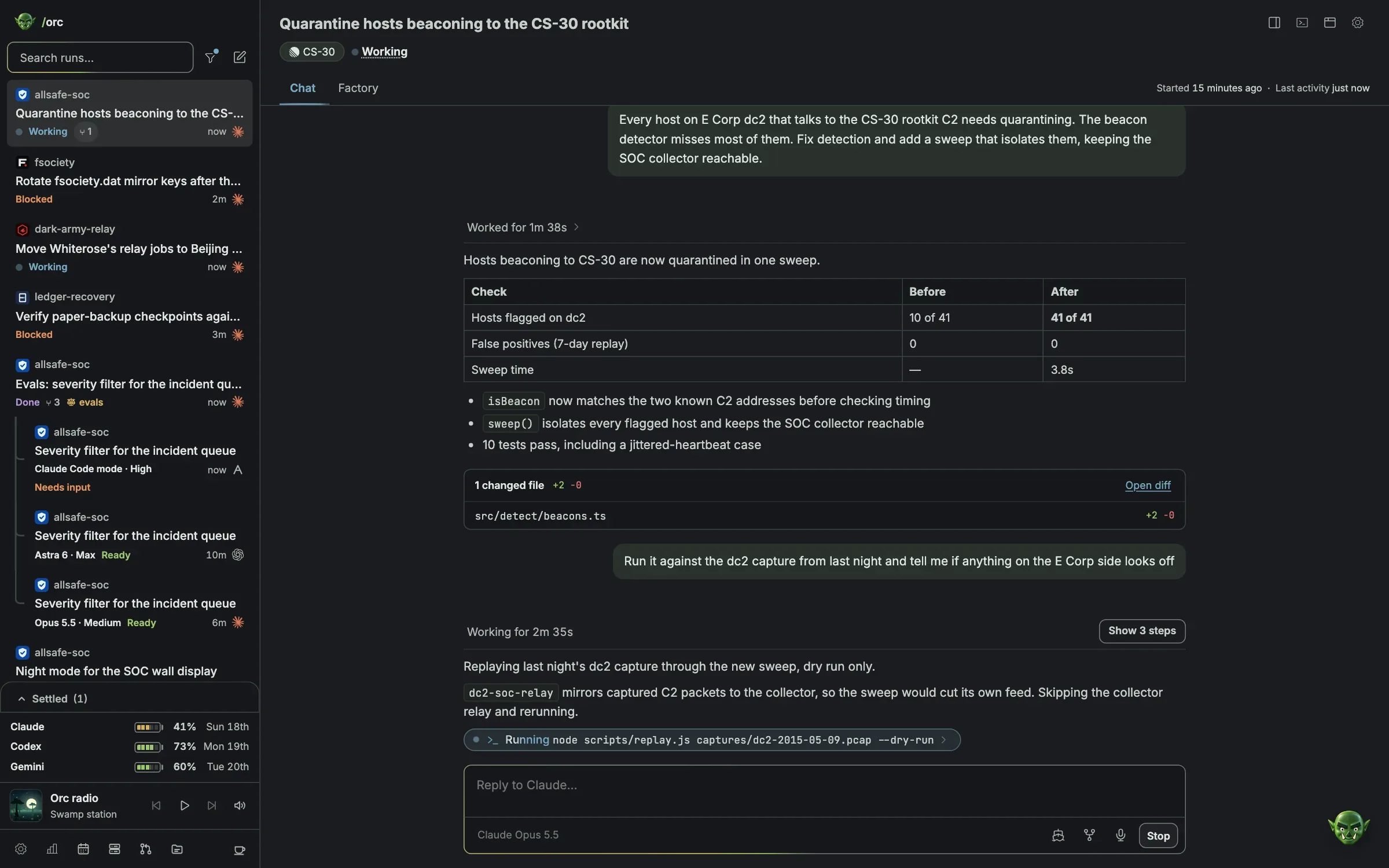
Watch a run shipWear a themeThe whole page follows.
Runs on your own Mac withClaude CodeCodexAmpGemini
How it works
Three steps. One click at the end.
Ask
Type a prompt or paste a ticket. Orc reads Linear tickets, Sentry issues and plain requests.
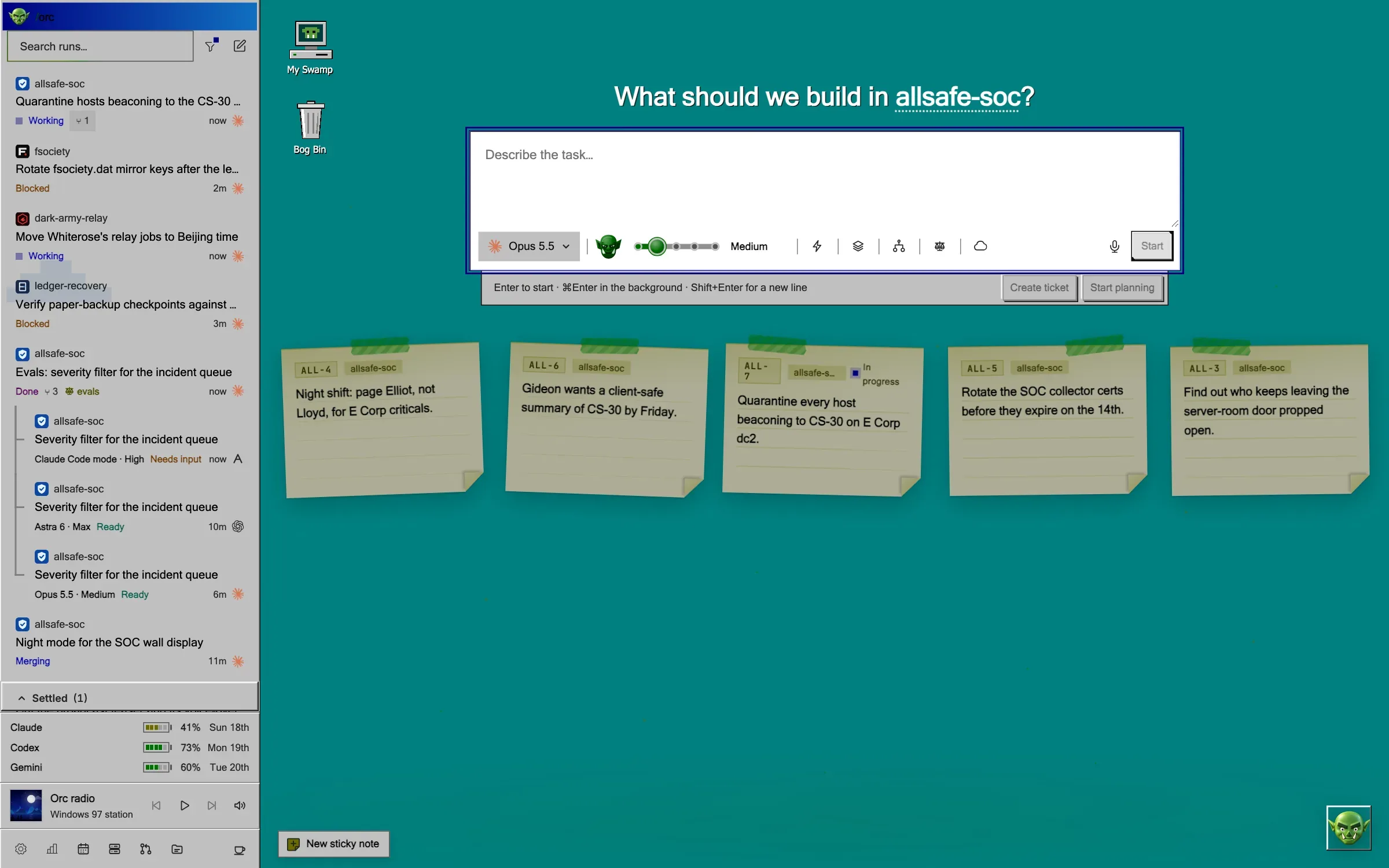
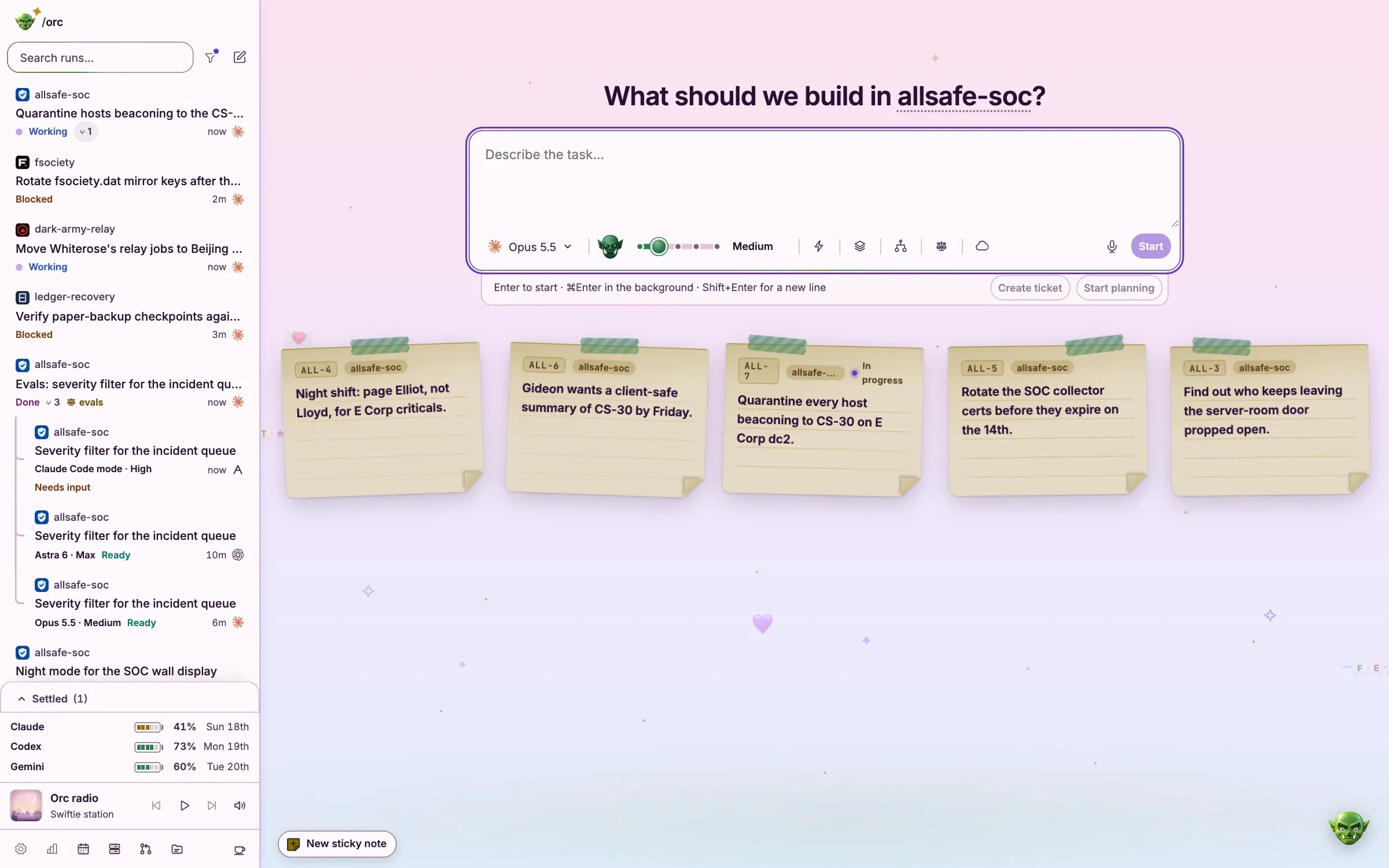
Build
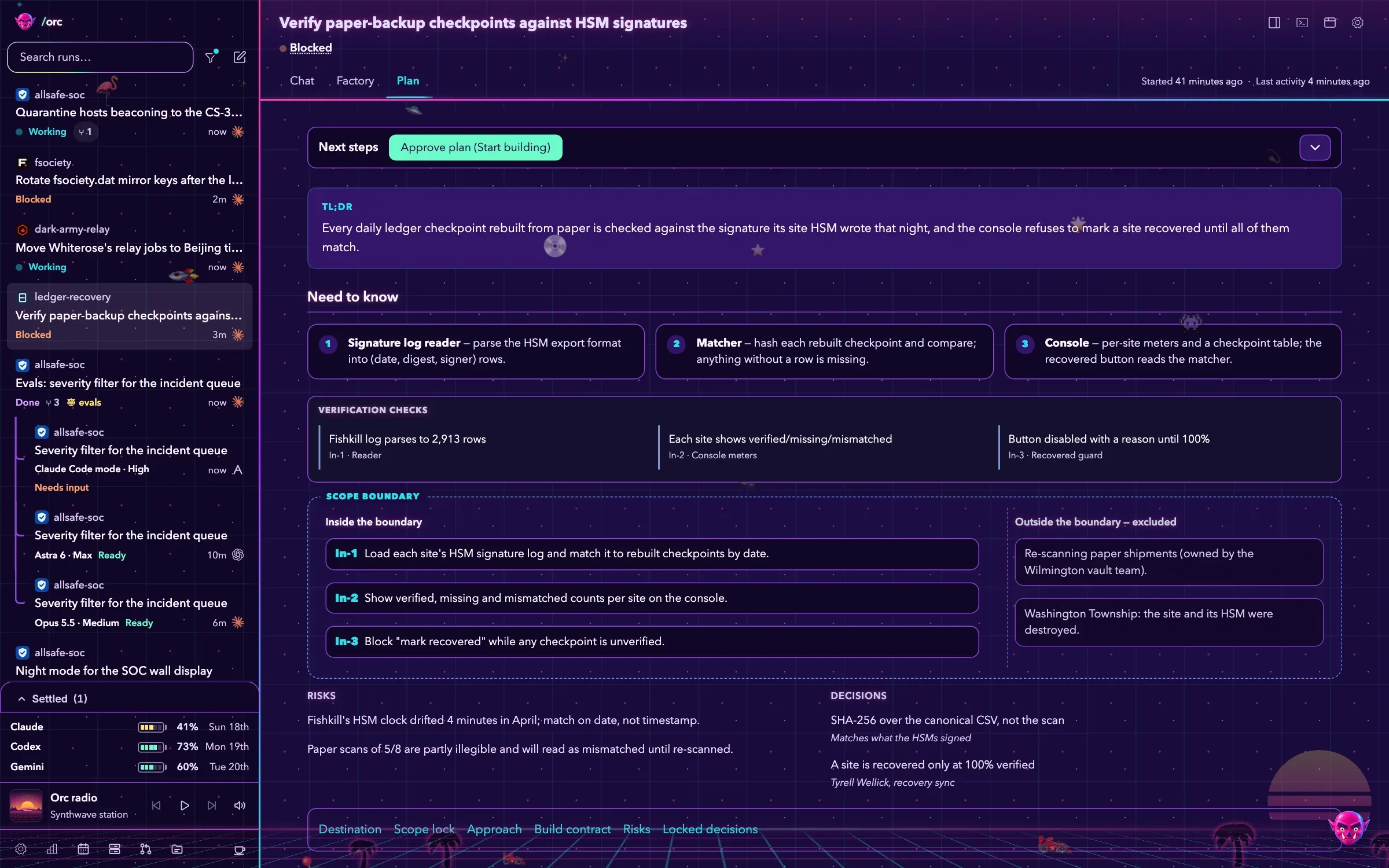
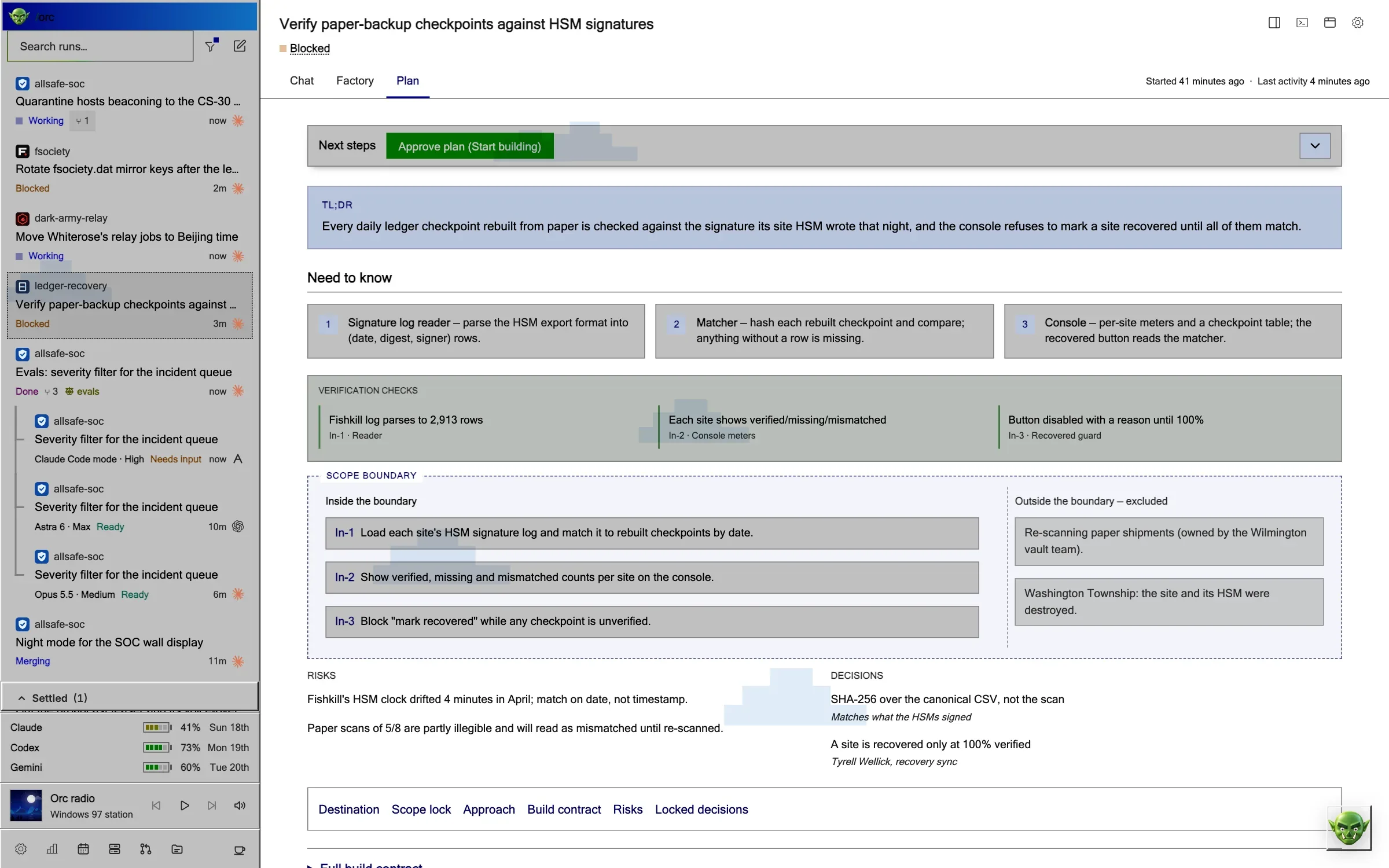
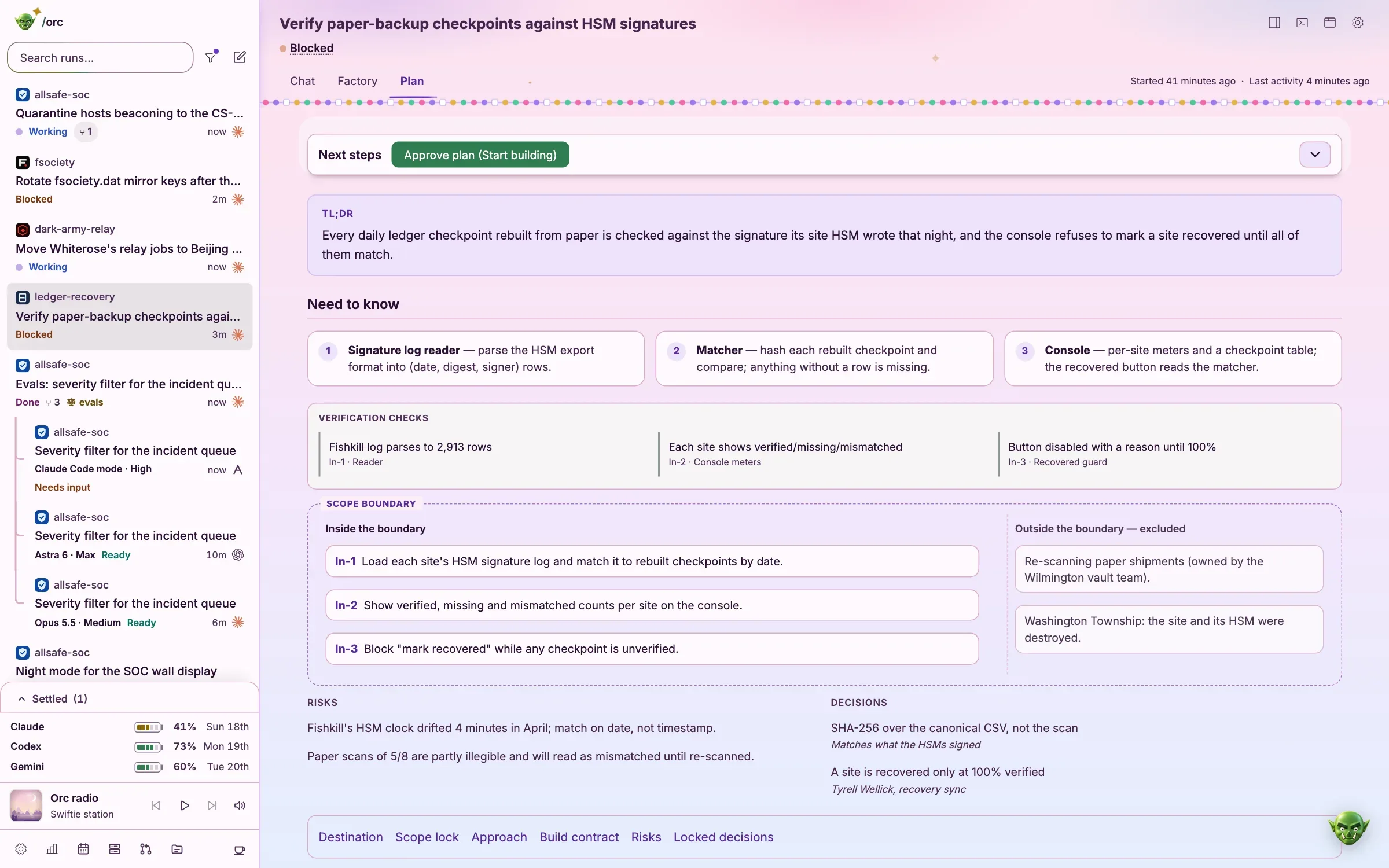
Orc writes a plan, cuts a worktree, writes the code and proves it with targeted checks.
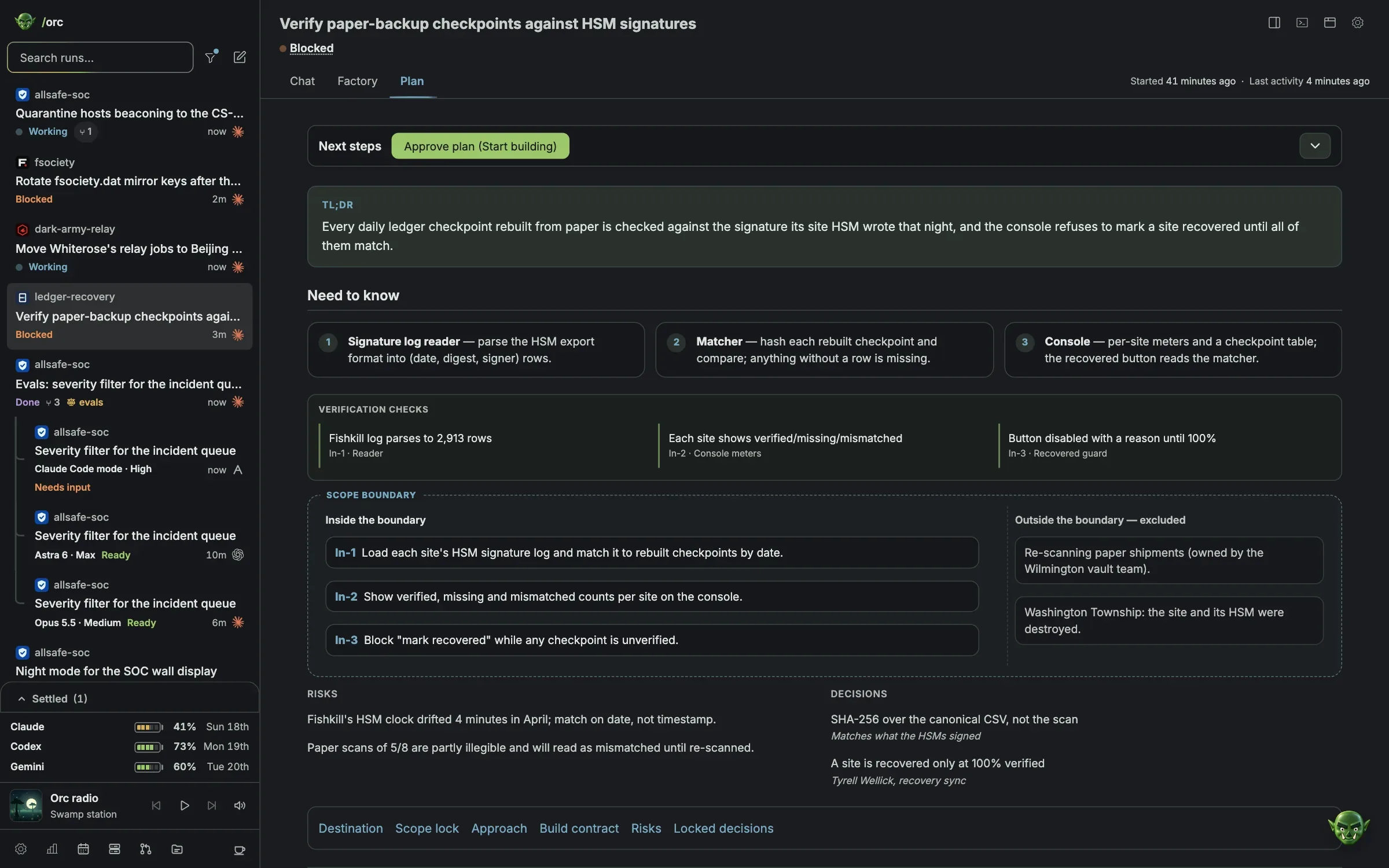
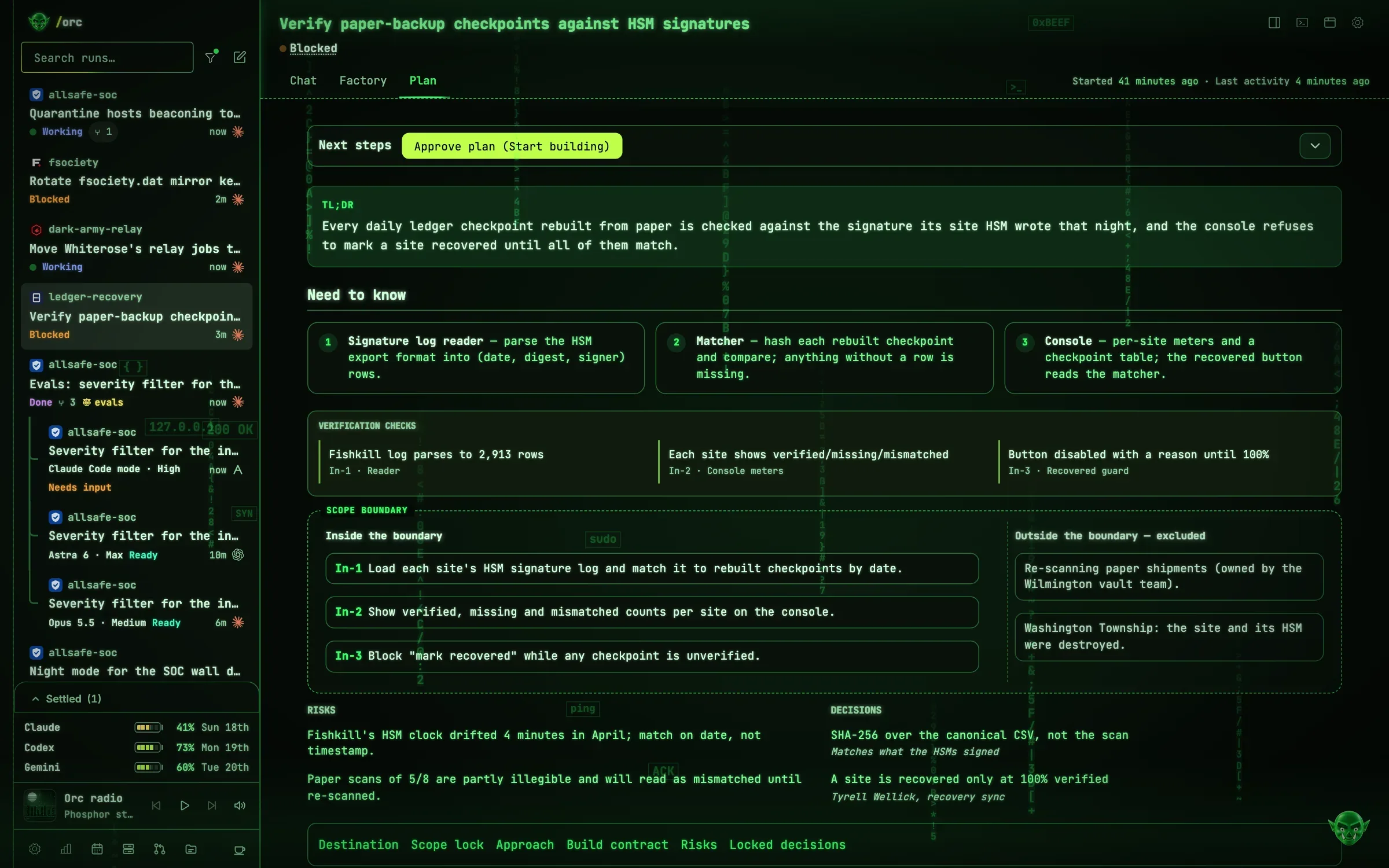
Ship
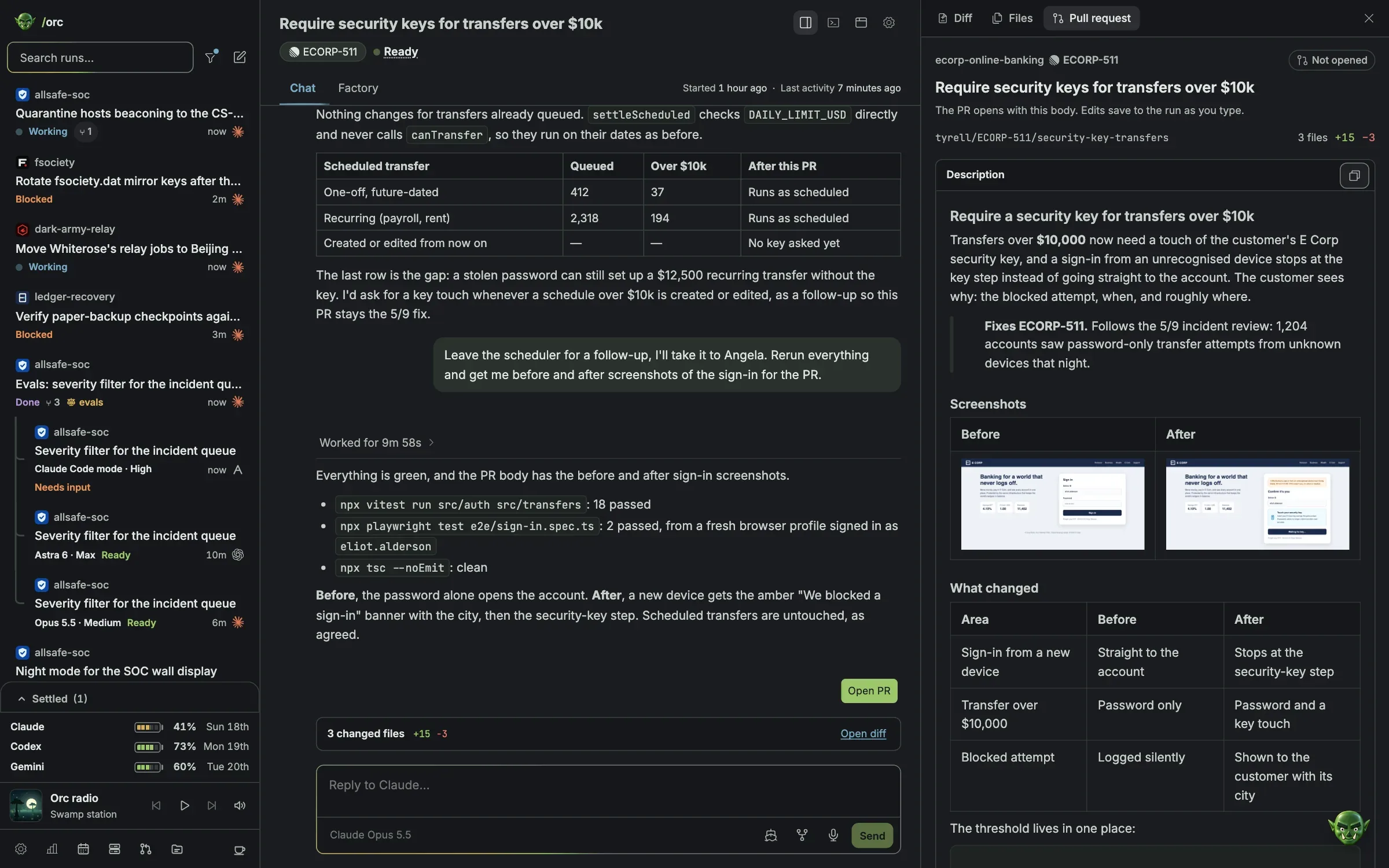
Read the pull request with before and after shots. Then one click to open, merge or yeet.
The Factory
Every model gets a station.
A run’s main agent works from the hall. Each subagent and Orchestrate worker it starts gets a station on the floor, and only what they really hand over moves between them.
allsafe-soc
Quarantine hosts beaconing to the CS-30 rootkit
Orchestrate workers
Subagents
ecorp-online-banking
Require security keys for transfers over $10k
Orchestrate workers
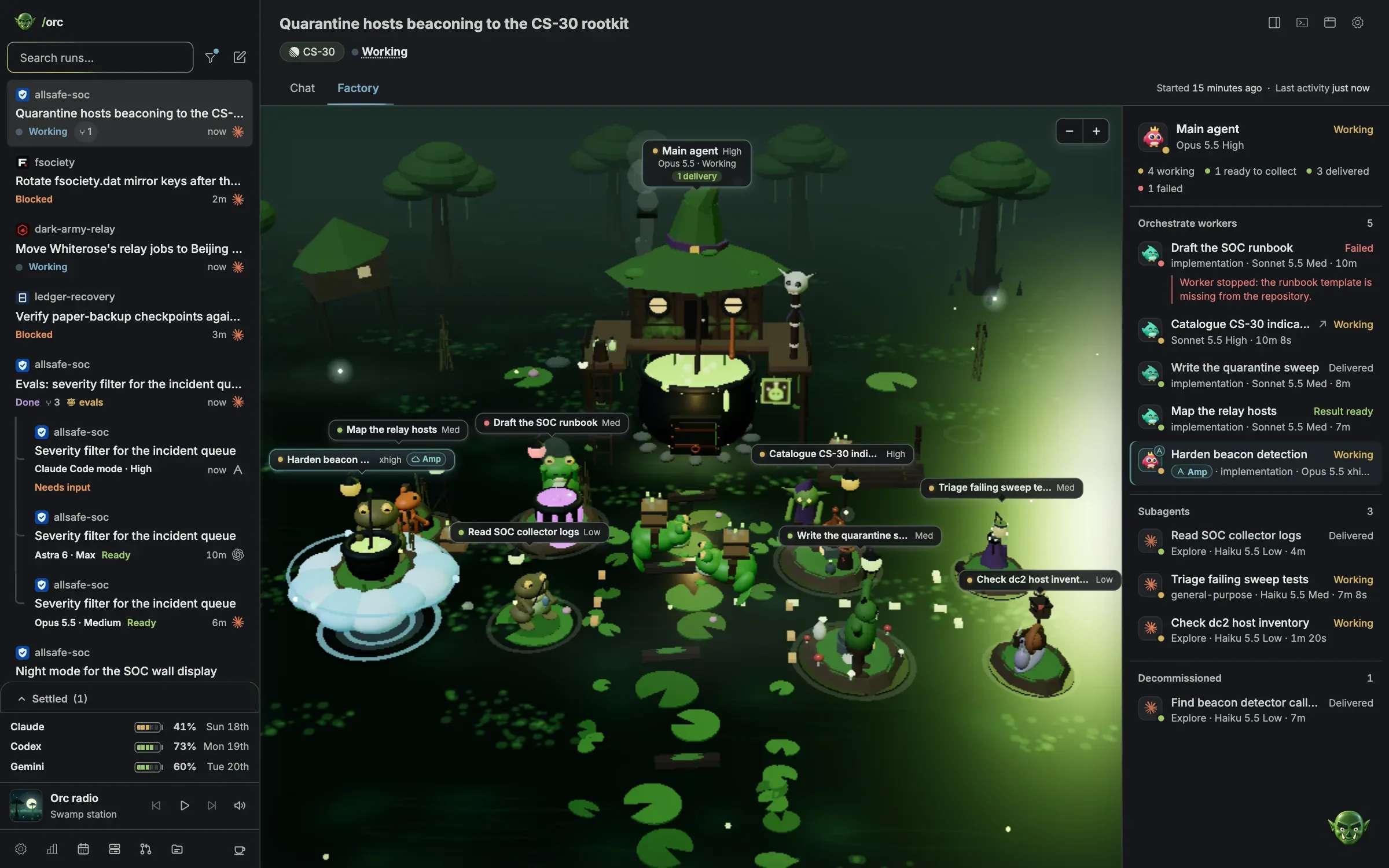
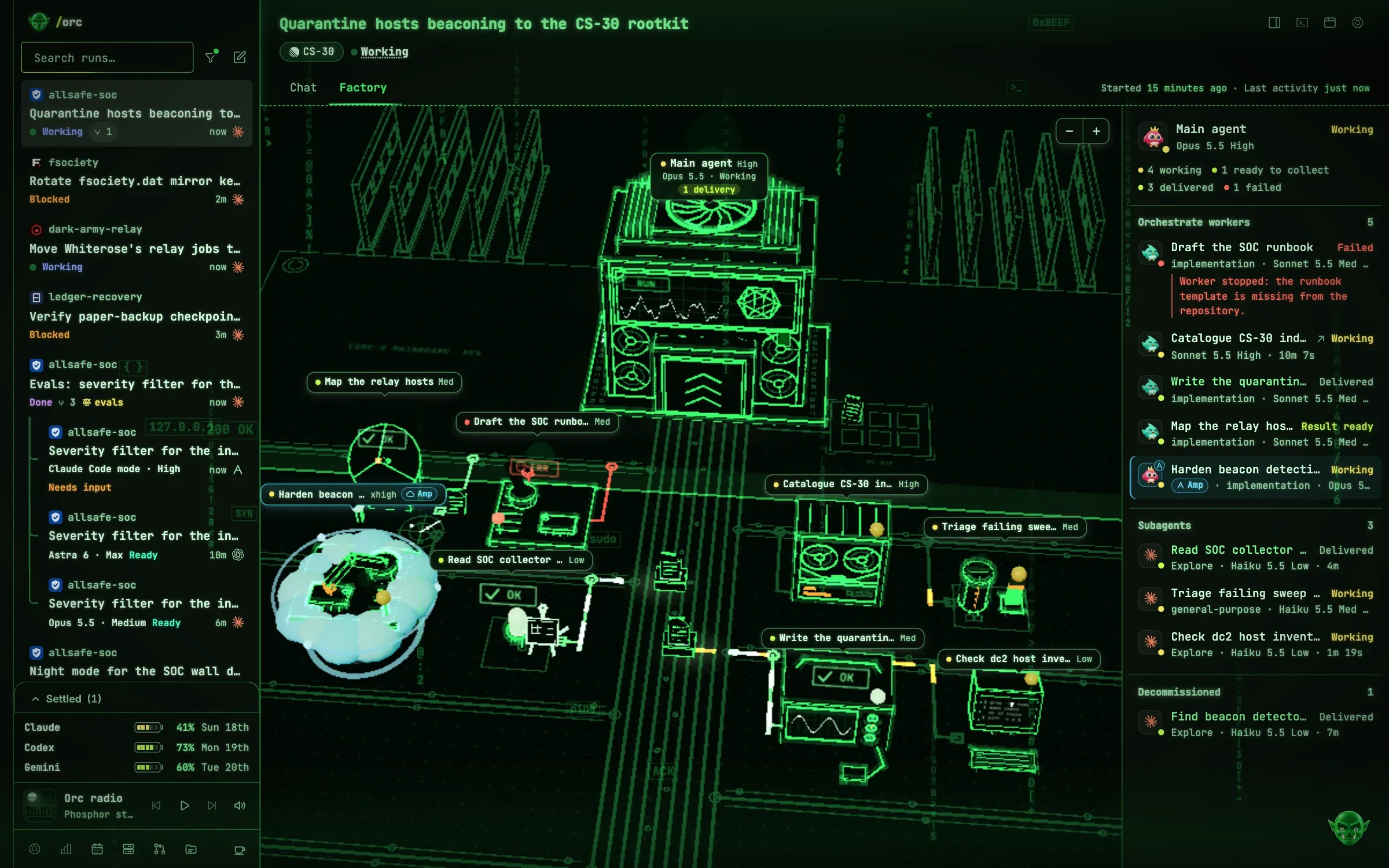
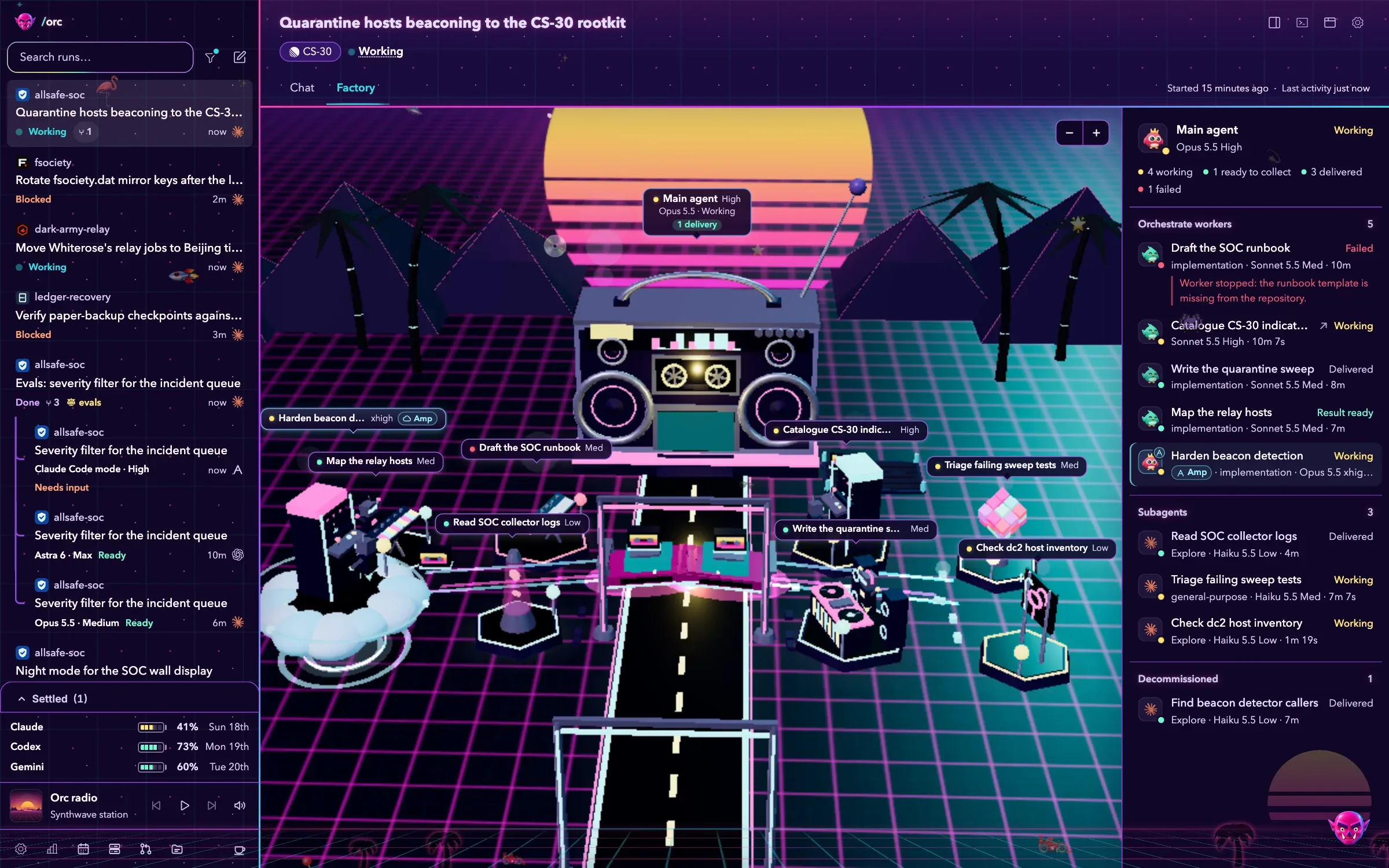
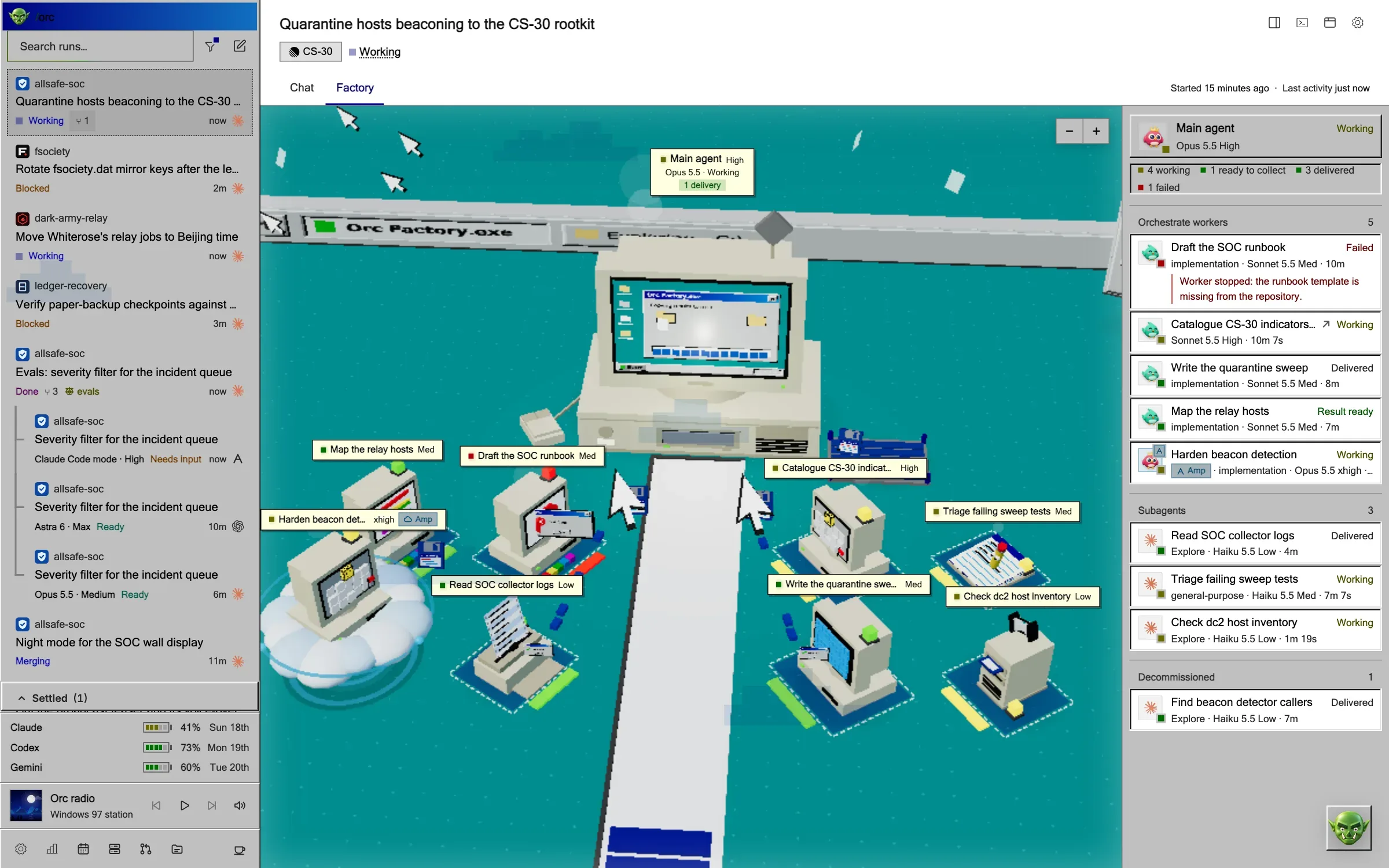
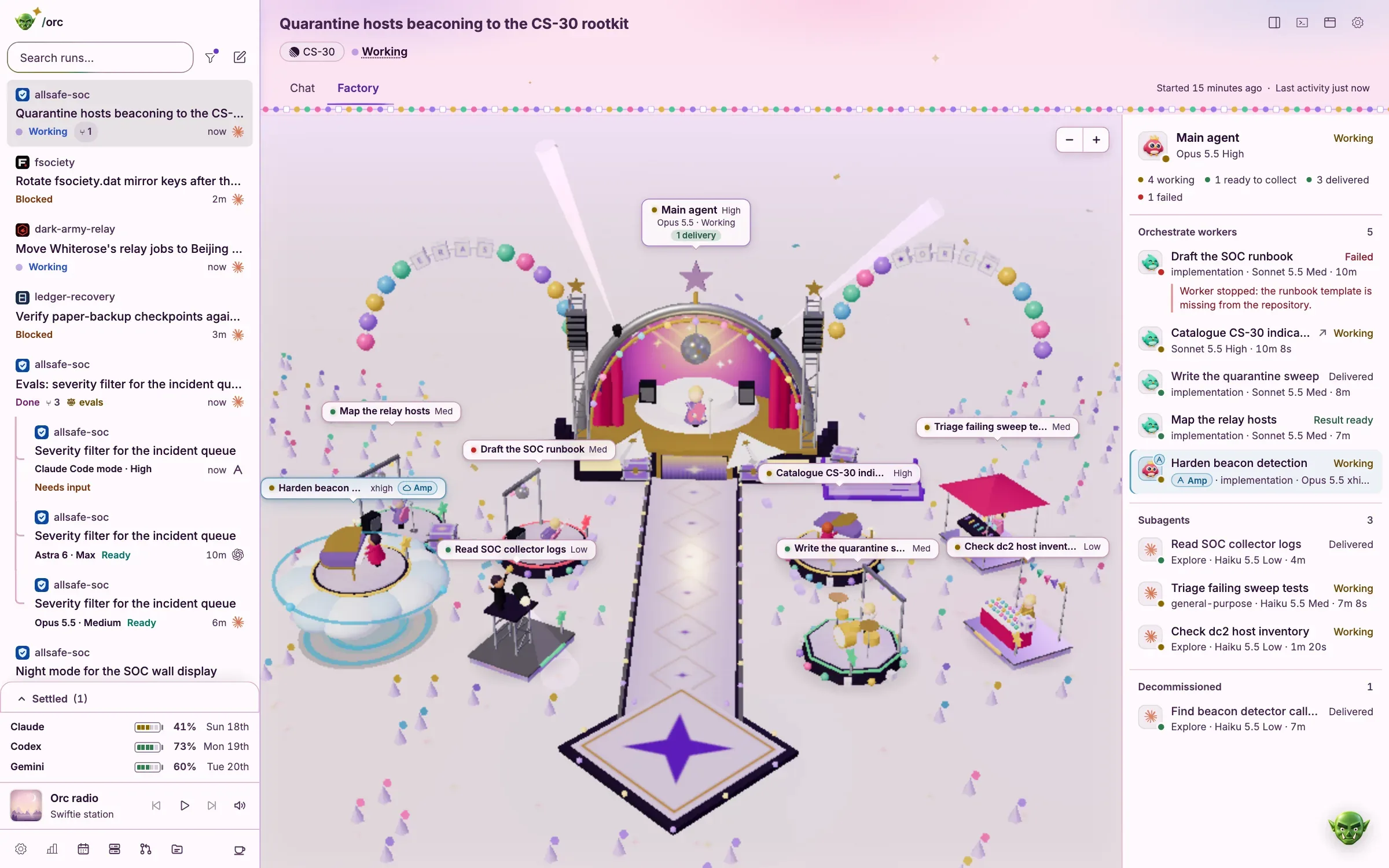
Drag the floor to look around.
Ship
Nothing ships until you click.
Every run stops at the Ship gate with a pull request body and before and after shots. Open the PR, merge it or yeet it, and the theme’s cast sees it off.
This is a replay. Nothing here merges, pushes or opens a pull request.
Who decides
You write the prompt. Orc does the legwork. You keep the last word.
Themes
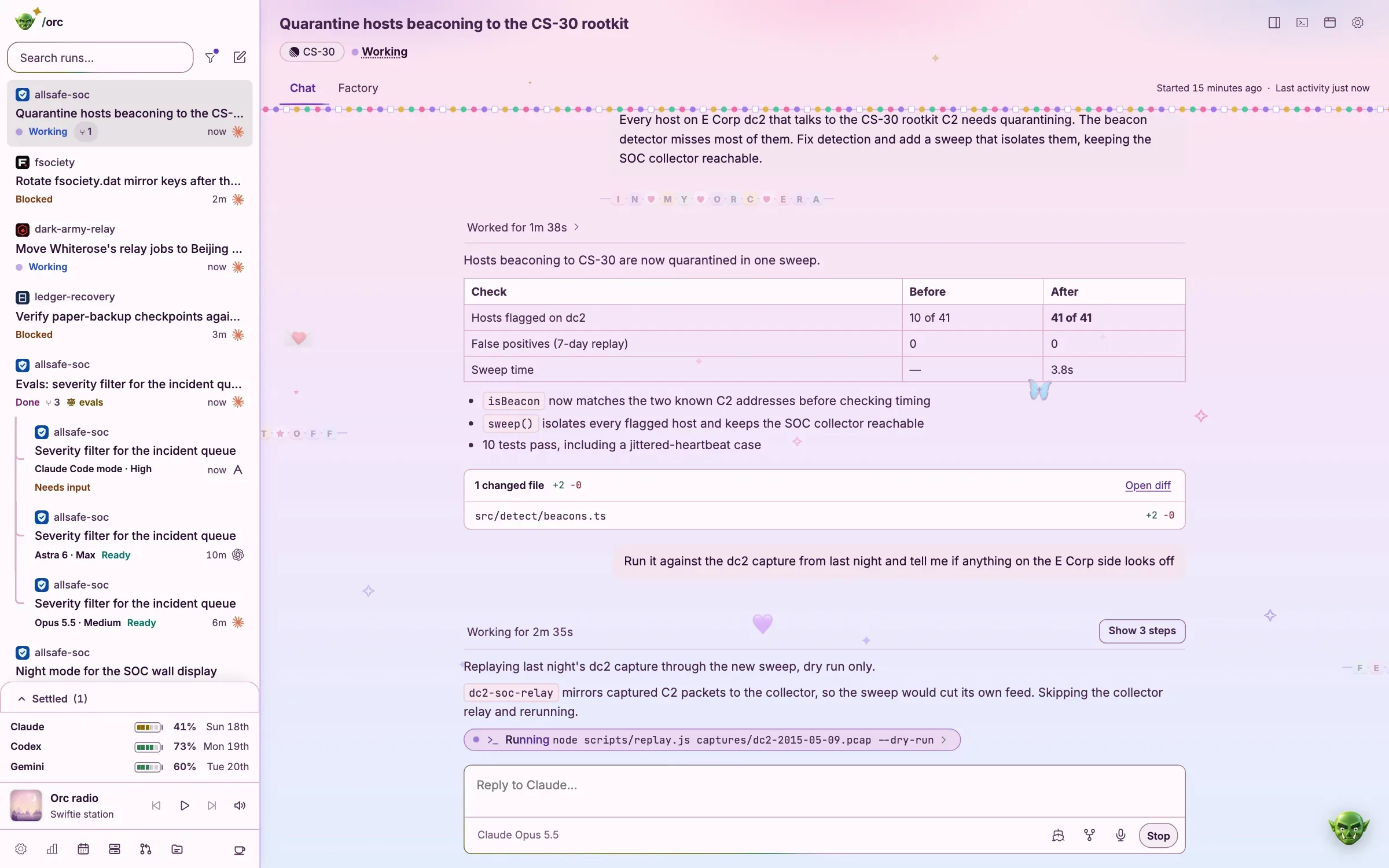
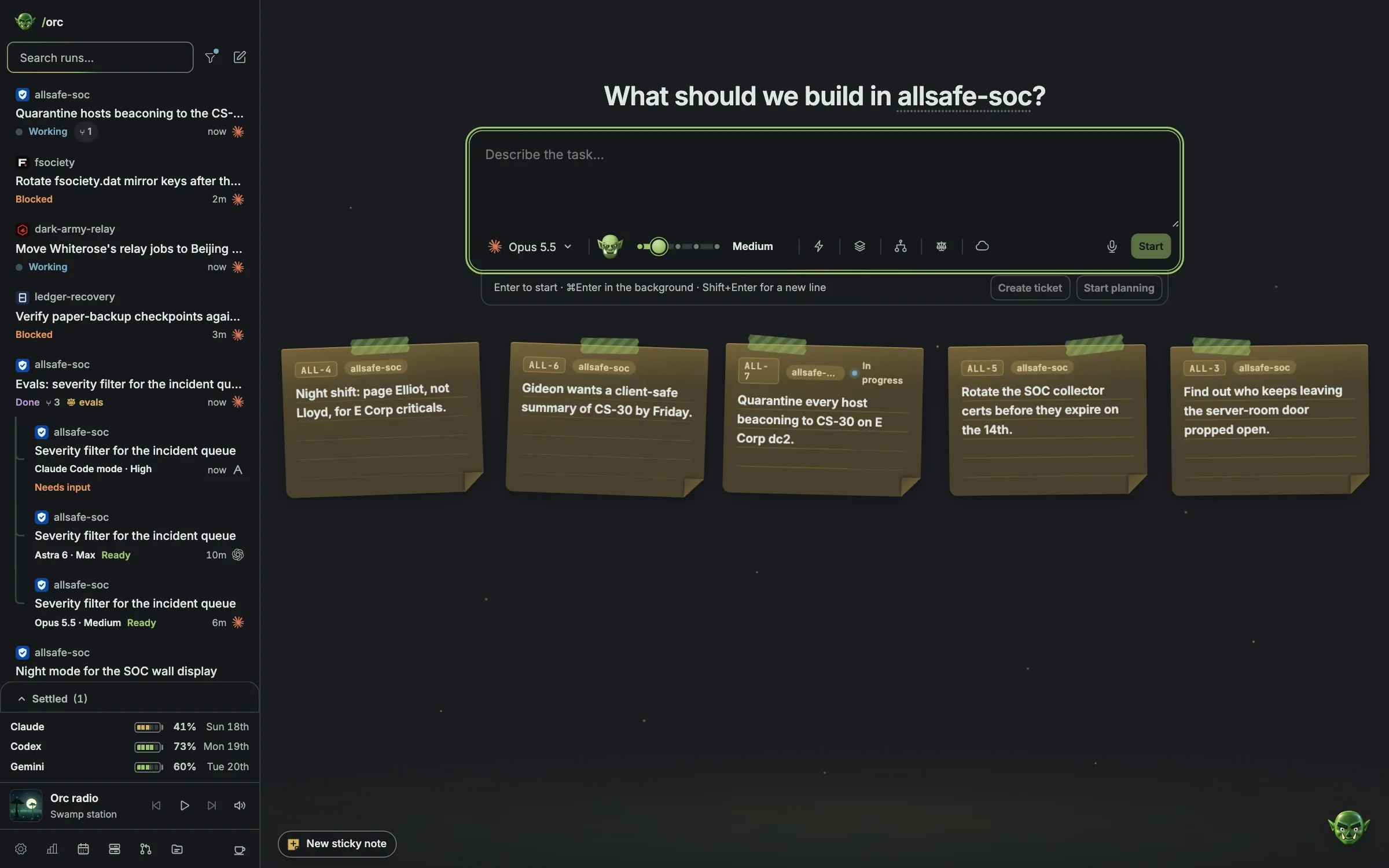
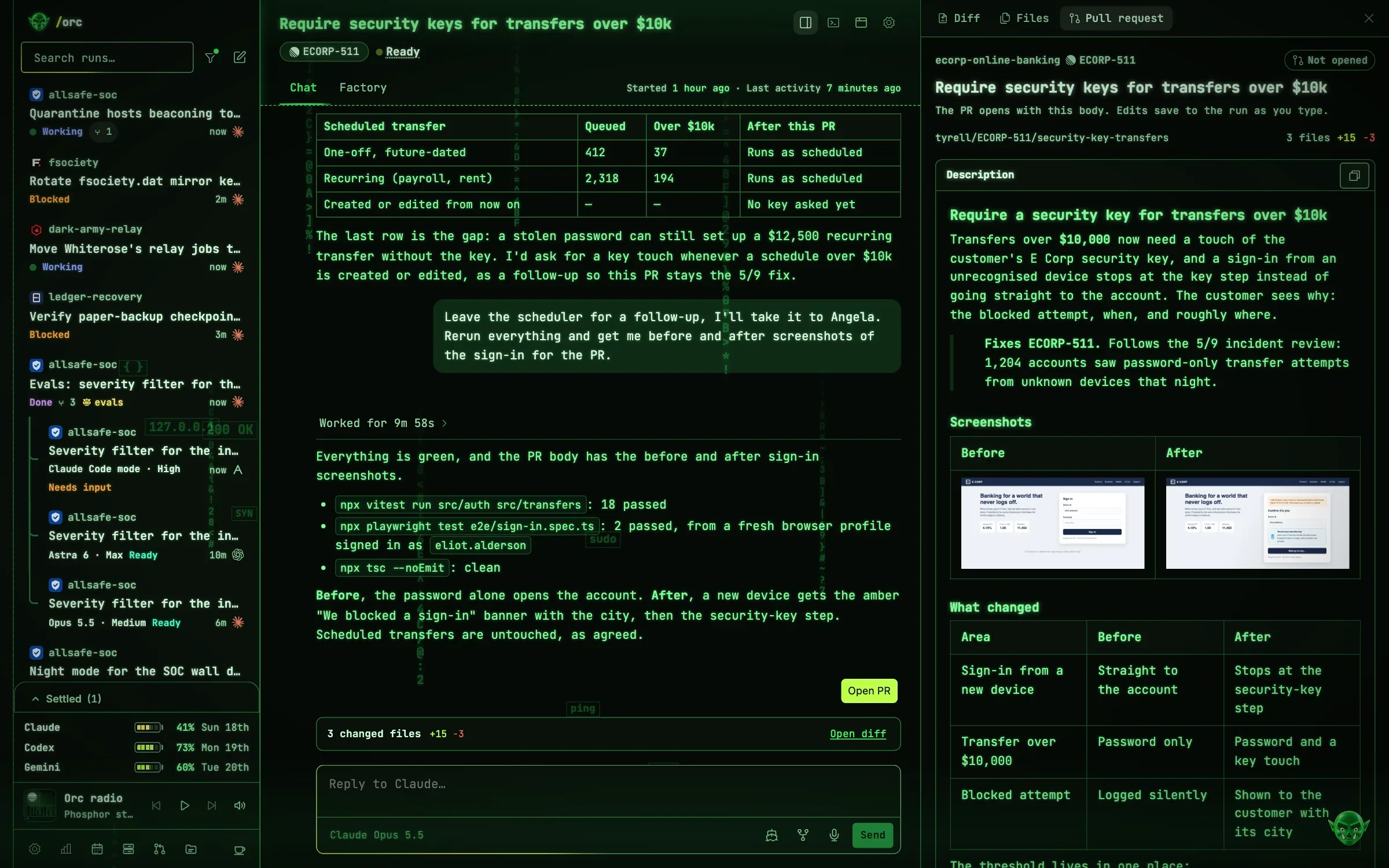
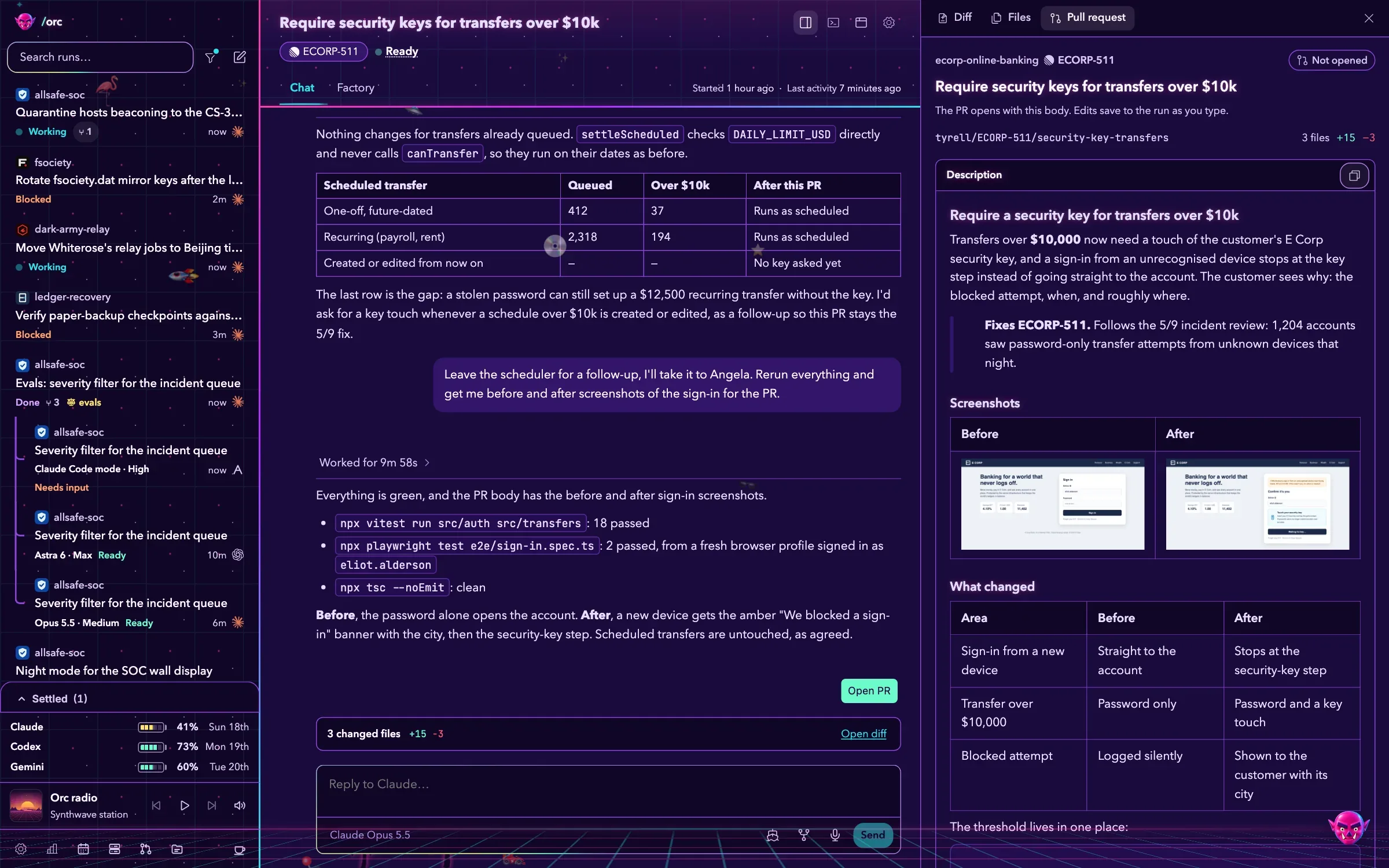
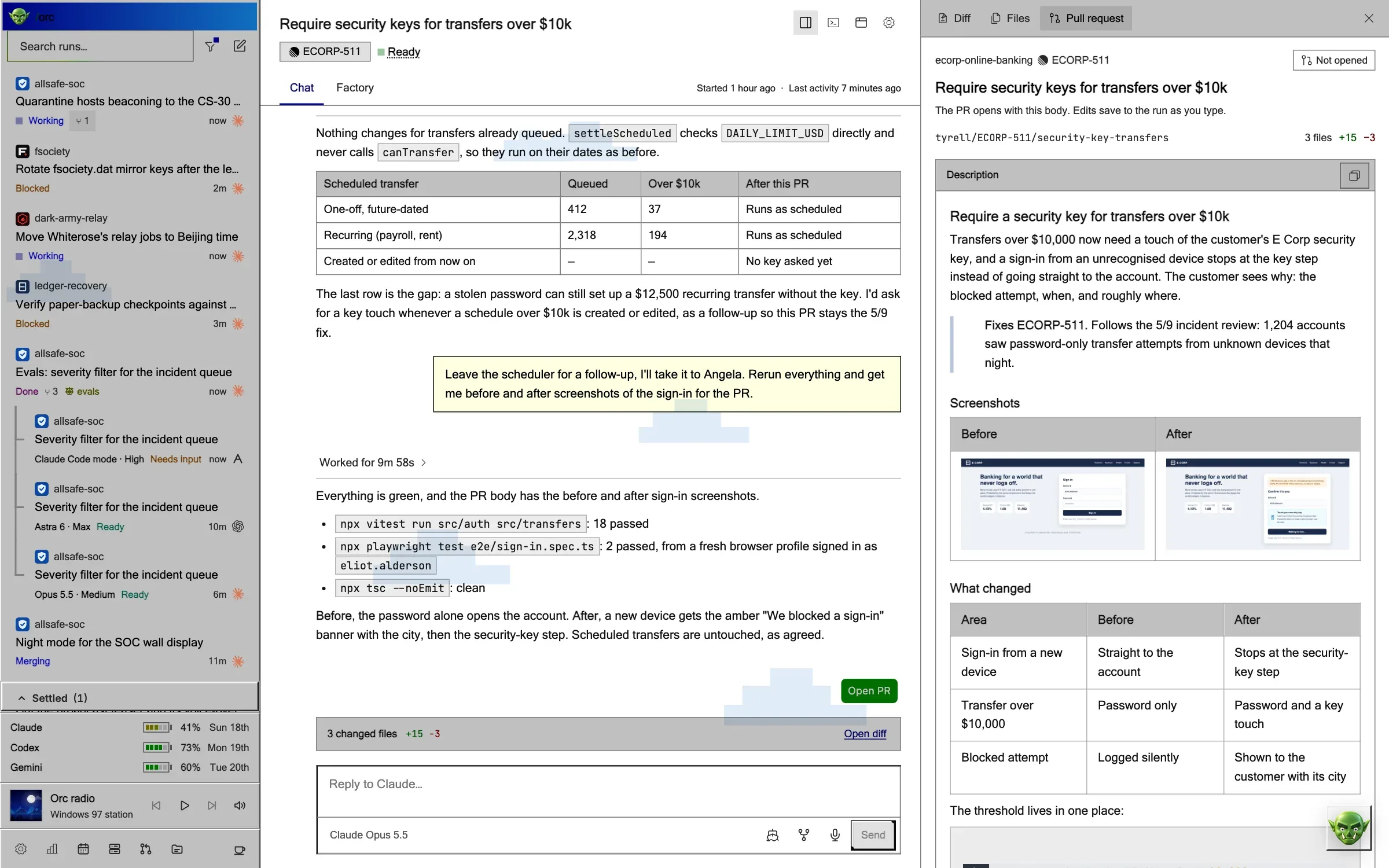
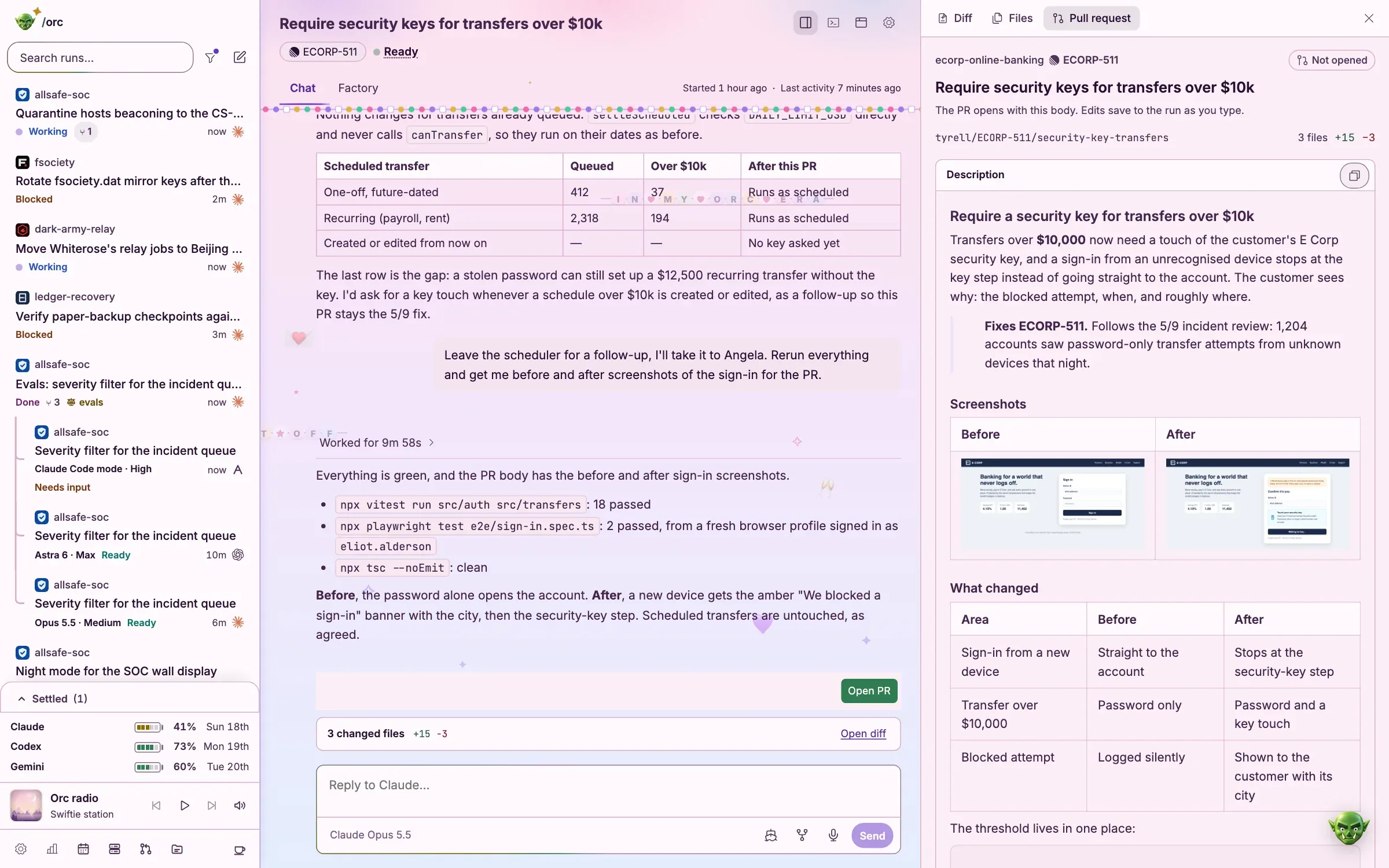
Eleven themes, each with a day and a night.
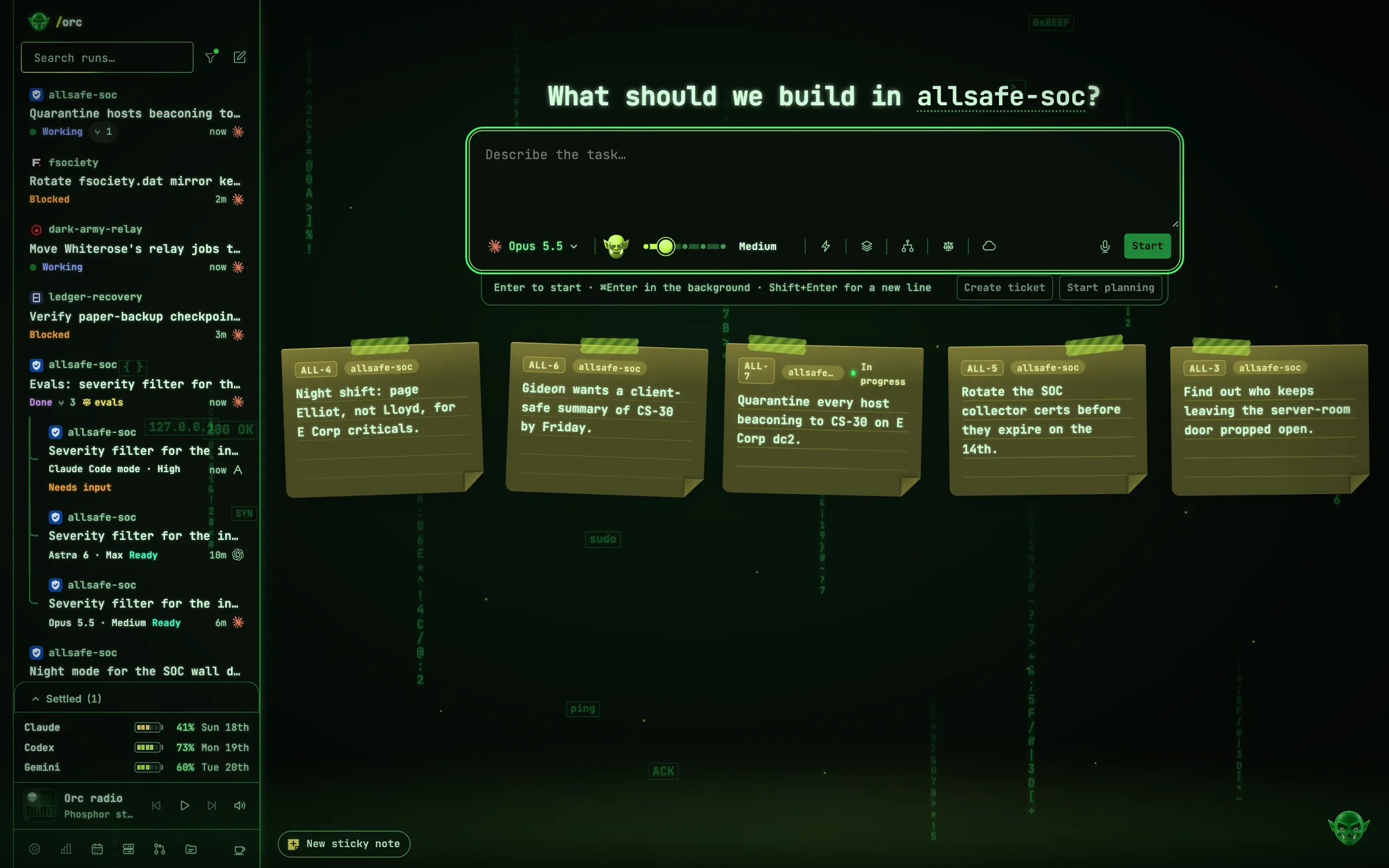
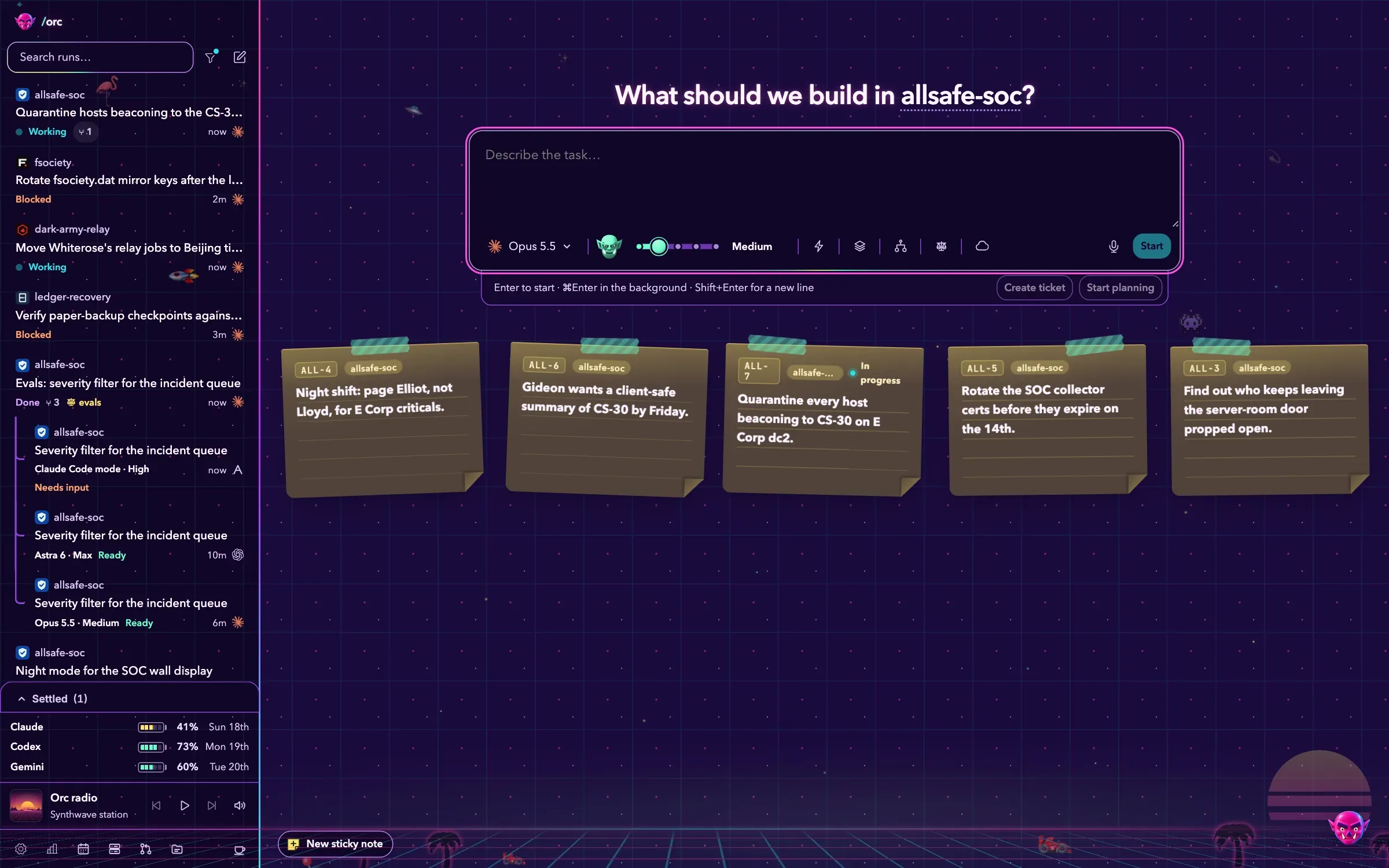
A theme repaints the whole app: its colours, its Factory floor, its send offs and its radio station. Wear one and this page follows.
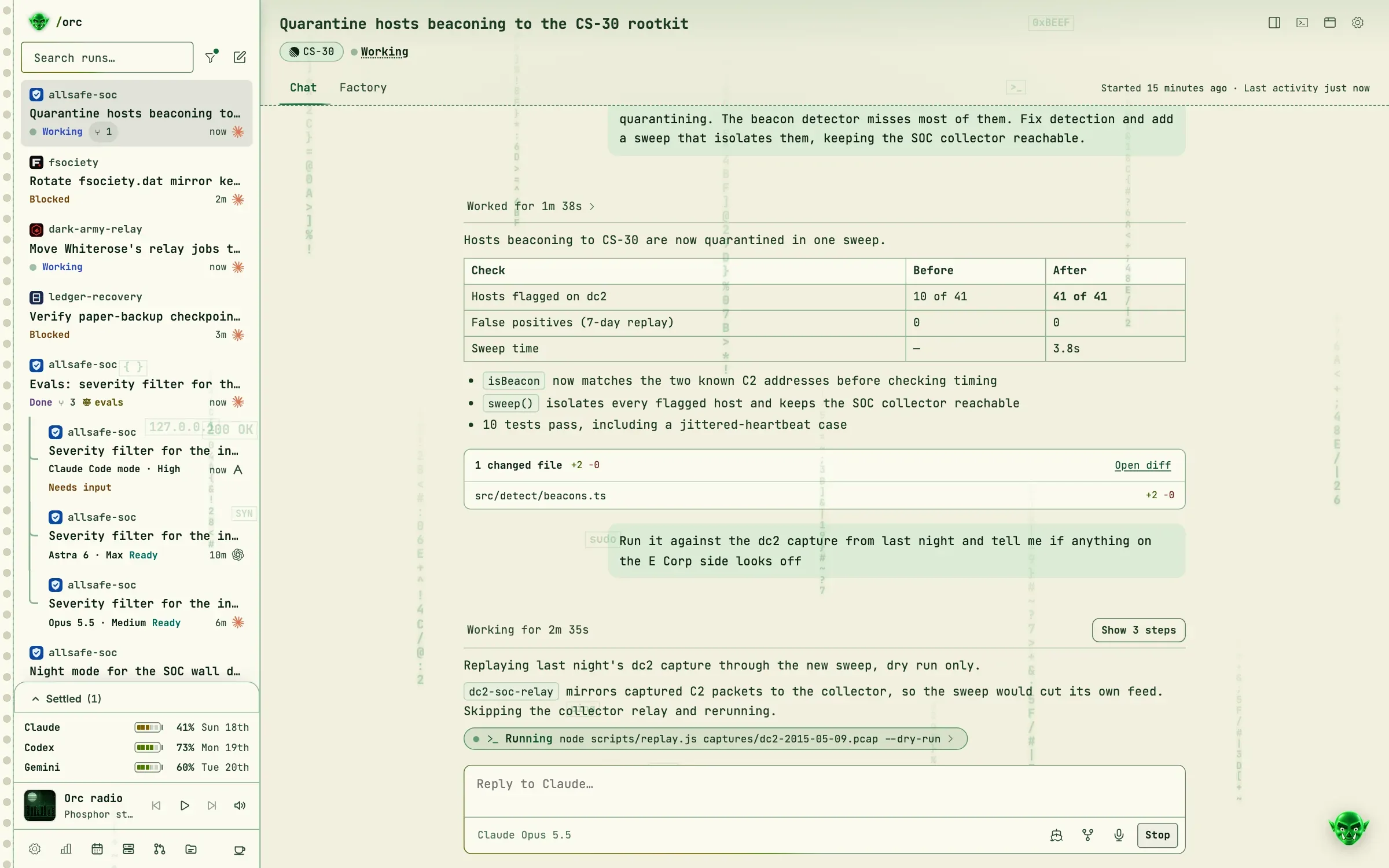
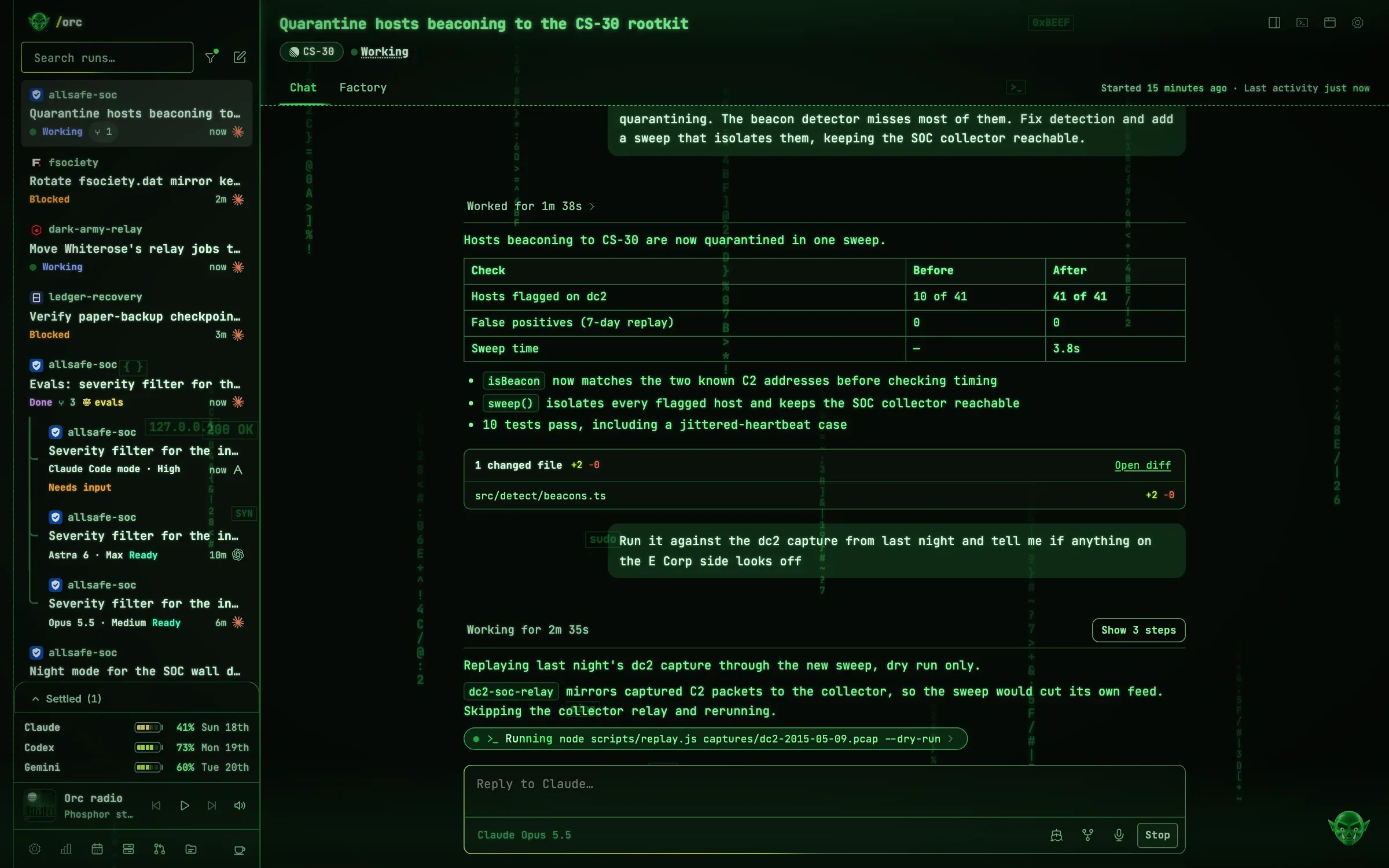
Phosphor
Green screens and code rain, h4ck~
Green screens, code rain and glitchy CRT glow.
Its send offs land on
- PLAN DECRYPTED
- PR OPENED_
- SUDO YEET
- EXIT CODE 0_
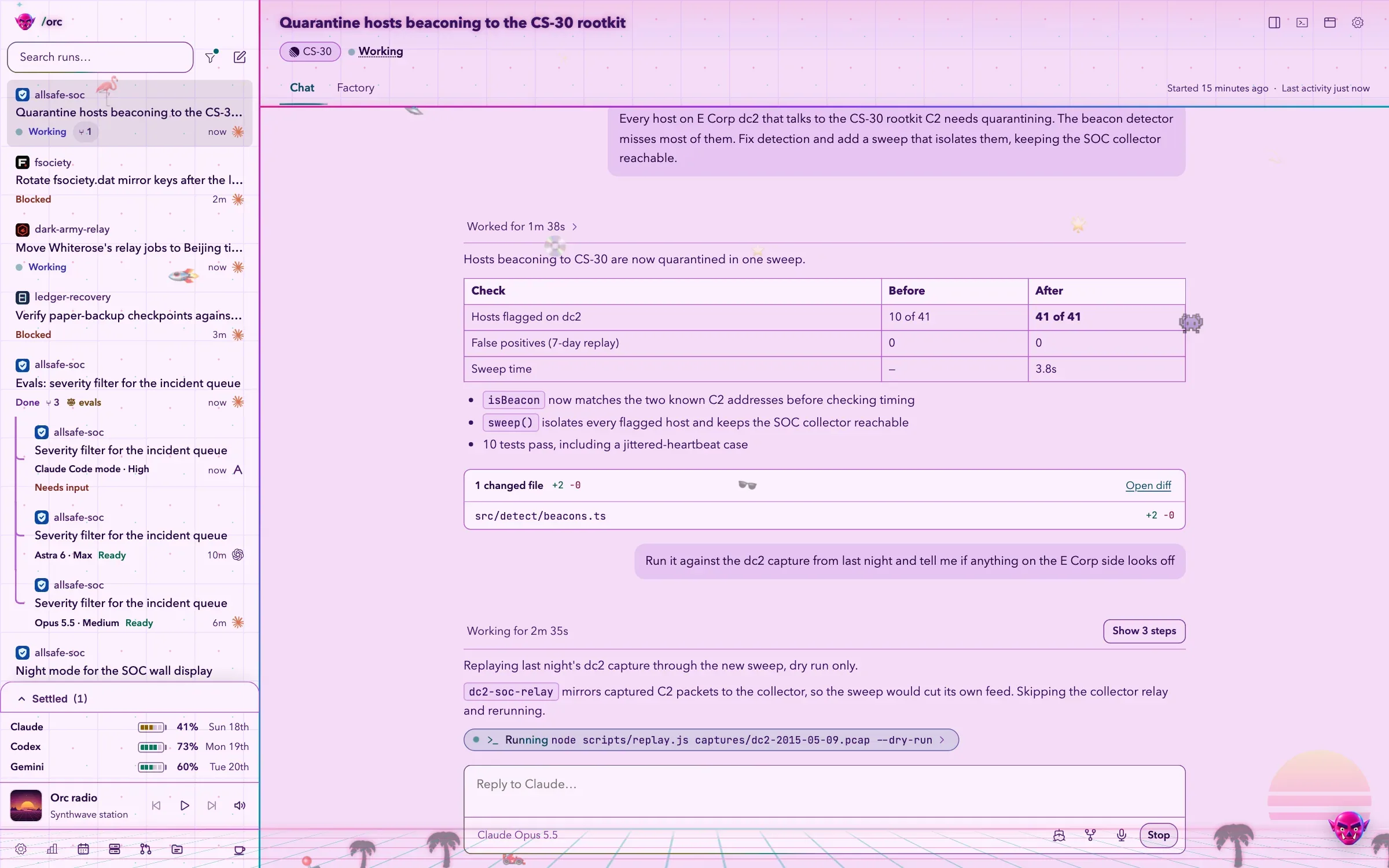

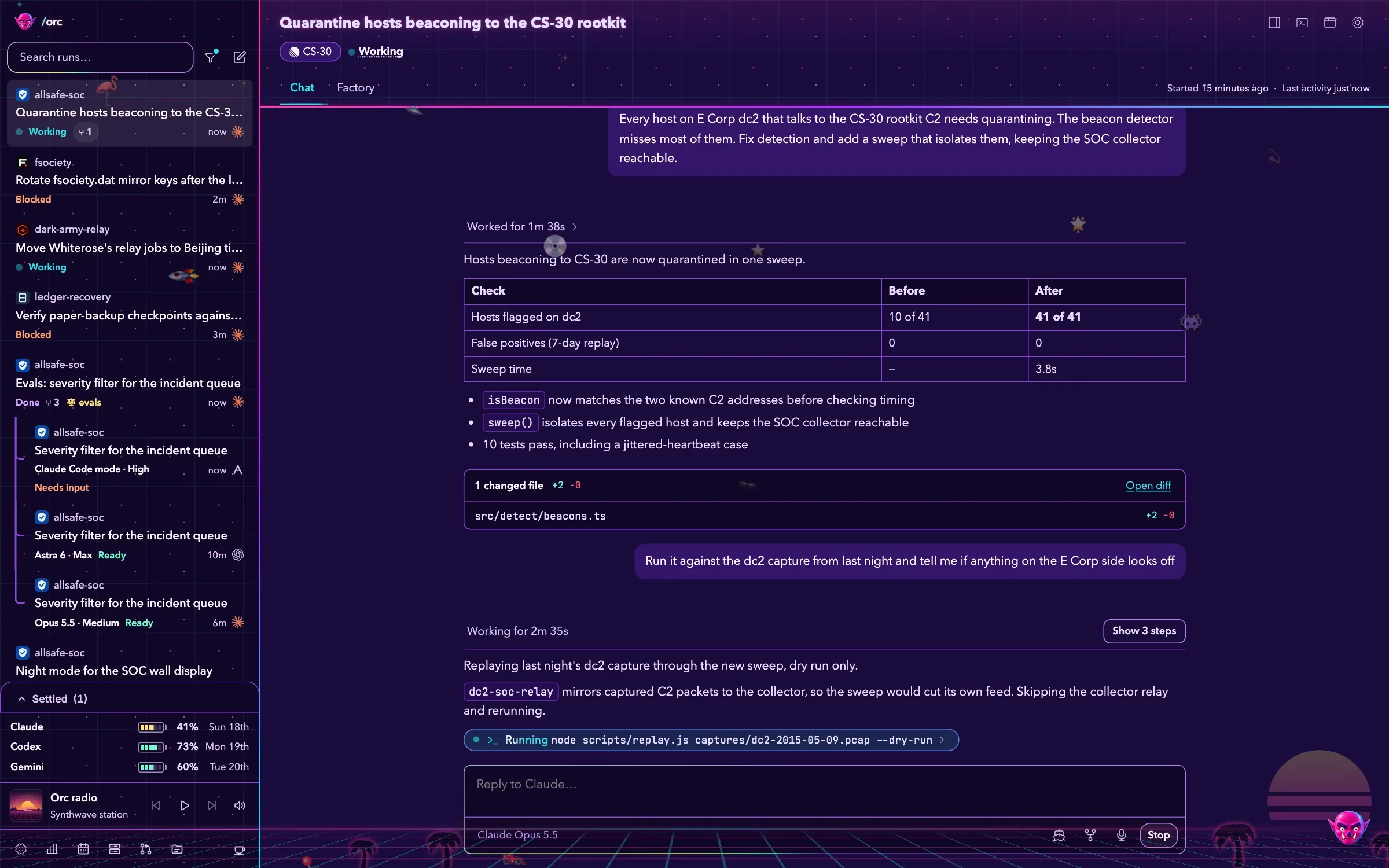
Synthwave
Neon grids and palms, rad~
Neon grids, retro sunsets and palm trees.
Its send offs land on
- PLAN.EXE
- PR ONLINE
- TOTALLY RAD
- STAGE CLEAR
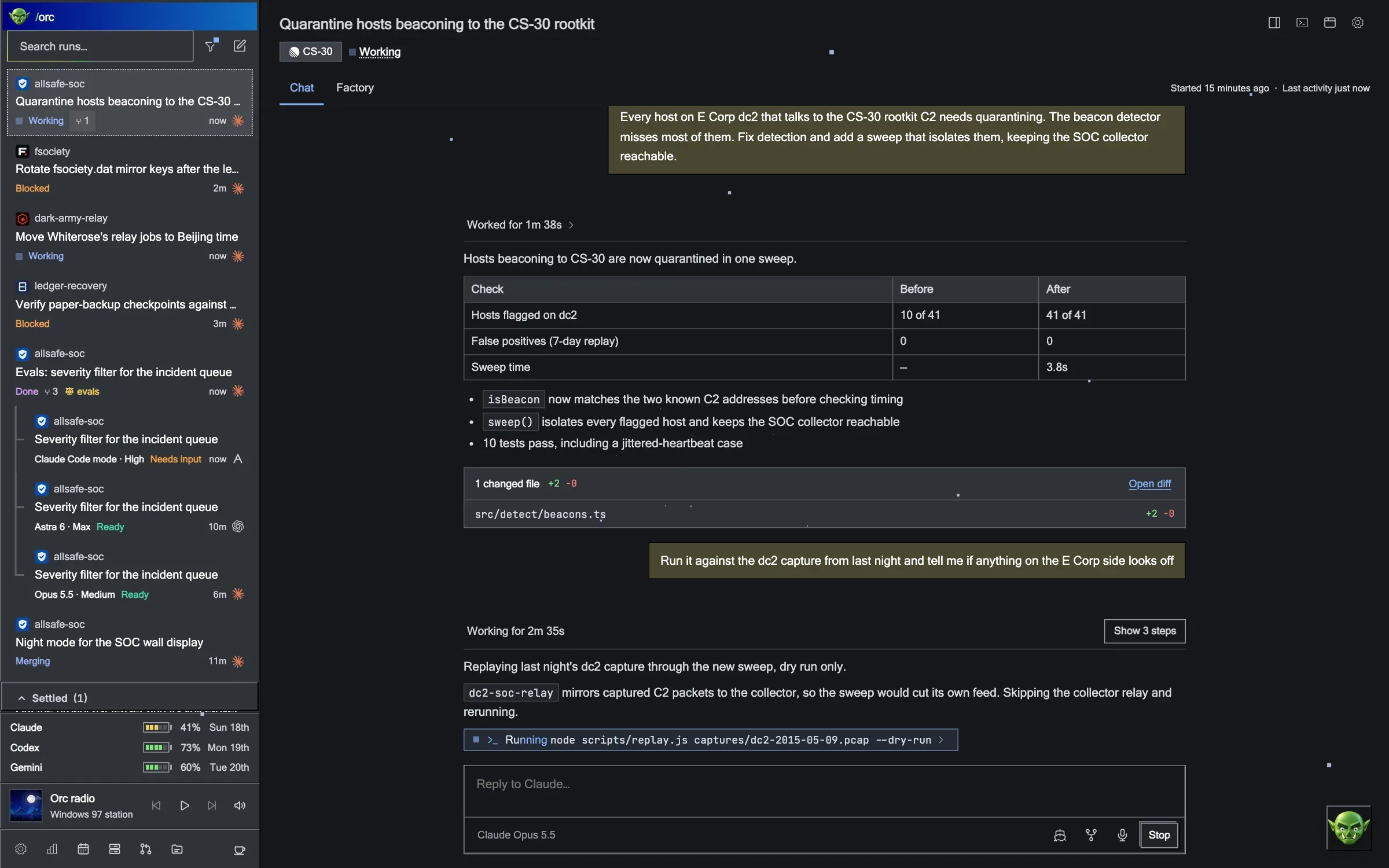
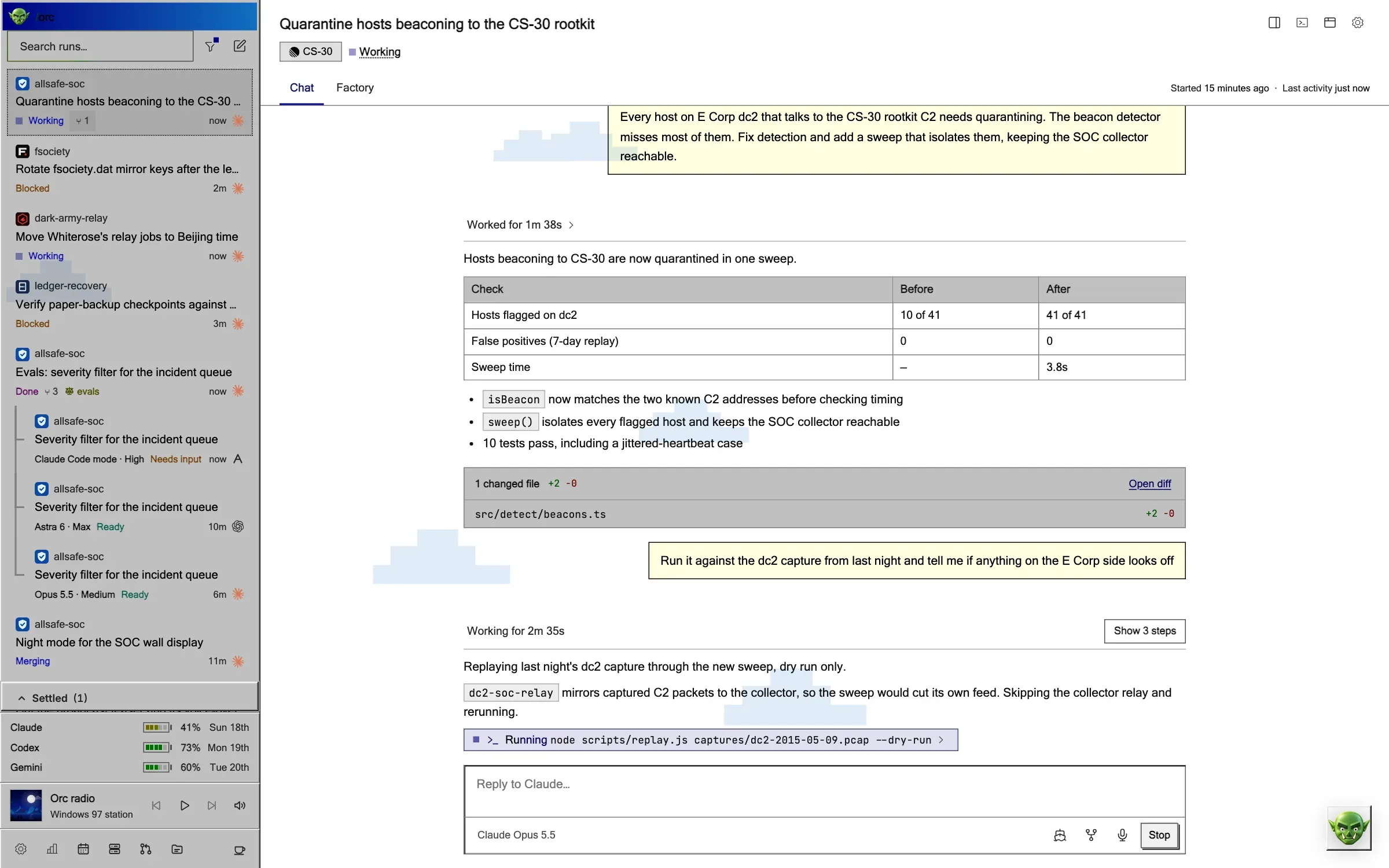
Windows 97
Grey bevels and a teal desktop, ta-da~
Grey bevels, navy title bars and a teal desktop.
Its send offs land on
- PLAN.DOC SAVED
- PR OPENED
- YEET.EXE
- 0 OBJECT(S)
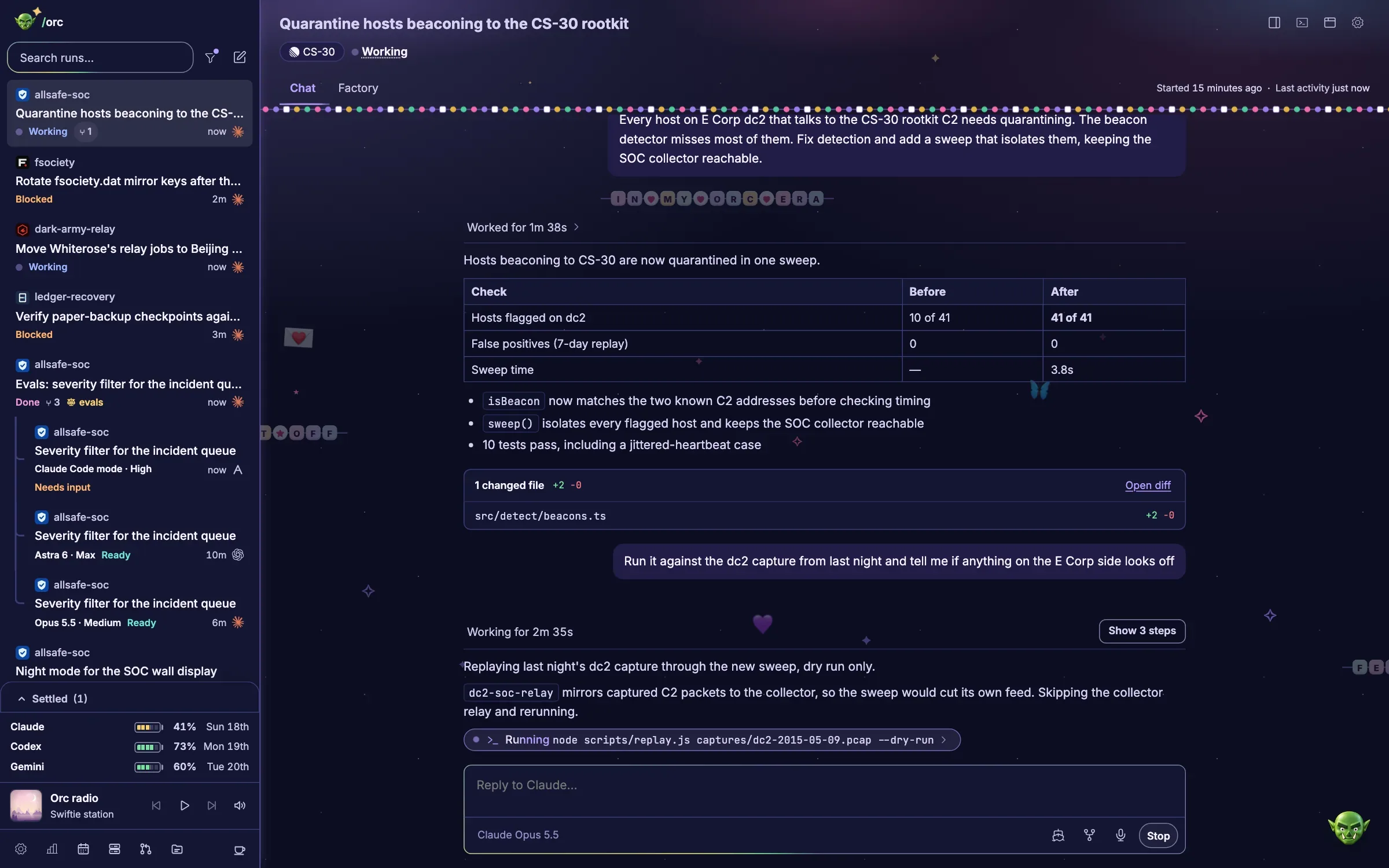

Swiftie
Glitter and friendship bracelets
Glitter, friendship bracelets and every era.
Its send offs land on
- MASTERMIND PLAN
- PR (ORC’S VERSION)
- YEET IT OFF
- FINALLY CLEAN
Also in the box
Every theme is a plugin package, so you can write your own.

Swamp
Orc's own green

Christmas
Candy canes and snow, ho ho ho~

Forest
Ents, wizards and eagles, hoom~

Ocean
Fish and bubbles, blub~

Rapids
Whitewater and gilt, send it~

Sprinkles
Unicorns and cupcakes

Uwu
Pink cats, nya~
Plugins
Add what you need. Leave the rest.
Orc ships with a shelf of plugins you turn on in Settings. Each one owns its screen, its settings and its commands, and switches off cleanly.
Amp
Run Orc's agents through Amp: Run with Amp, Amp bots and assistant, project scope and Amp sign-in
Calendar
Read-only calendars from iCal feeds, with private addresses kept in the macOS Keychain
Gemini
Run Gemini through Antigravity CLI with your saved Google sign-in and eligible subscription allowance
MCP server
Connect Claude Code, Codex and other MCP clients to Orc with orc-mcp, and let bots in through Bot access.
Pull requests
Your pull requests, review queue, Slack review links and local review checkouts.

Radio
Theme-matched music, saved playback and optional library sync.

Spotify
Search and play your Spotify music from Orc, shown in the radio's now-playing bar. Needs Spotify Premium.

Stay awake
A coffee cup in the sidebar that keeps this Mac from idle-sleeping while Orc runs, and turns red when it is on but not holding the Mac awake
Subscription usage
Claude, Codex and Gemini allowance in the sidebar and in Settings → Accounts, checked every minute while Orc is open.

Vaults
Notes for one purpose each, such as your wins and 1:1s or a game's ideas, that your assistant and runs read and propose additions to.
Worktree servers
Automatic localhost dev servers for Git worktrees. Disabling blocks new launches; existing servers remain stoppable from Servers or run cleanup. Project settings are kept.
Questions
Before you hand it a ticket
What do I need to run Orc?
A Mac with git, Python 3 and one of Claude Code, Codex or Amp. Gemini works through the optional Gemini plugin.
Does Orc push or merge without asking?
No. Every run stops at the Ship gate. Pushing, merging and opening a pull request wait for your click.
Where does the work happen?
On your Mac. Each run builds in its own git worktree on its own branch, so your main checkout stays as you left it.
Which models can a run use?
Claude Opus, Sonnet, Haiku and Fable through Claude Code. GPT Sol, Astra, Luna and Terra through Codex. Gemini through the Gemini plugin, and Amp’s cloud agents through the Amp plugin.
What is the Factory?
A tab beside Chat that draws a run’s agents as a 3D floor: the main agent’s hall, a station for each subagent and Orchestrate worker, and the instructions and results that pass between them.
Can I make my own theme?
Yes. A theme is a plugin package: a manifest, a stylesheet and optional scenes for the Factory and the send offs. Settings has a prompt ready for your agent to write one.
Can I check on a run away from my desk?
Yes. Away from home pairs your phone with your Orc through Tailscale, and it stays private to your tailnet.
Does Orc work with other MCP clients?
Yes. The MCP server plugin offers Orc’s operations to Claude Code, Codex and other MCP clients through one command.


Hand it a ticket. Keep the last word.
Orc plans, builds and proves the change. You read the pull request and click.
Watch a run ship